
OVERVIEW
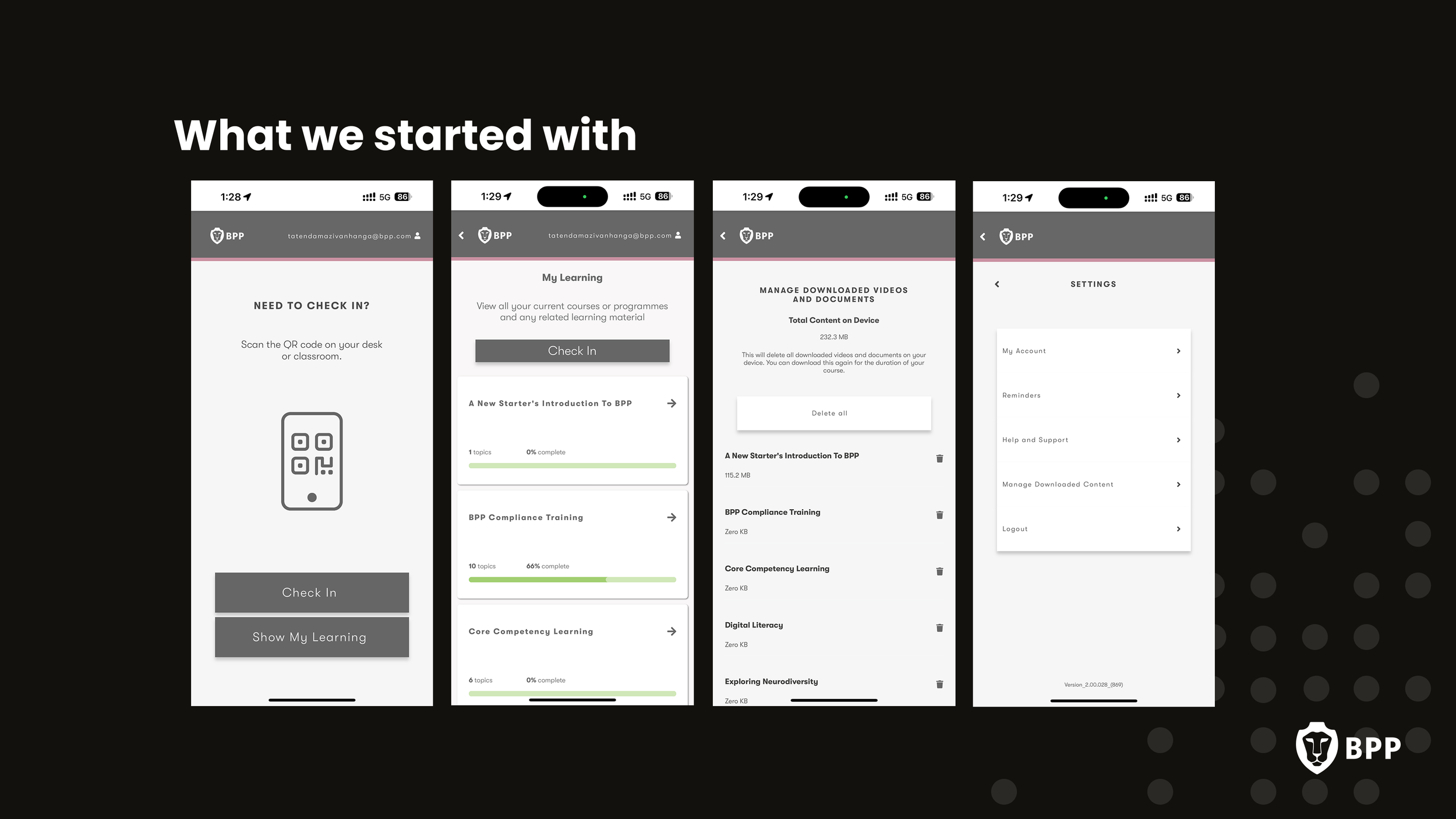
BPP's existing mobile experience was limited in functionality and fell short of supporting students through the day-to-day logistics of university life. The app lacked personalisation, surfaced limited actionable information, and made it difficult for students to quickly access timetables, attendance records, payments, and support.
The goal was to transform the app into an action-driven mobile companion — helping students navigate university life more efficiently, with a clear path to grow through subsequent releases.
THE PROBLEM
Research identified that students primarily used the app to manage the operational side of studying at BPP, rather than for active learning. They wanted a single, reliable place to stay organised.
Students wanted:
A simple way to know where they needed to be and when
Live timetable updates and notifications
Faster access to support and admin tools
Visibility of attendance, payments, and queries
Direct communication channels with tutors and coaches
A more centralised “single place” experience
Problem Statements
Timetable changes could easily be missed, creating confusion and unnecessary stress for students.
Existing navigation made it difficult to locate learning materials, personal information, and admin tools
The mobile experience lacked the functionality needed to support students day to day
RESEARCH & DISCOVERY
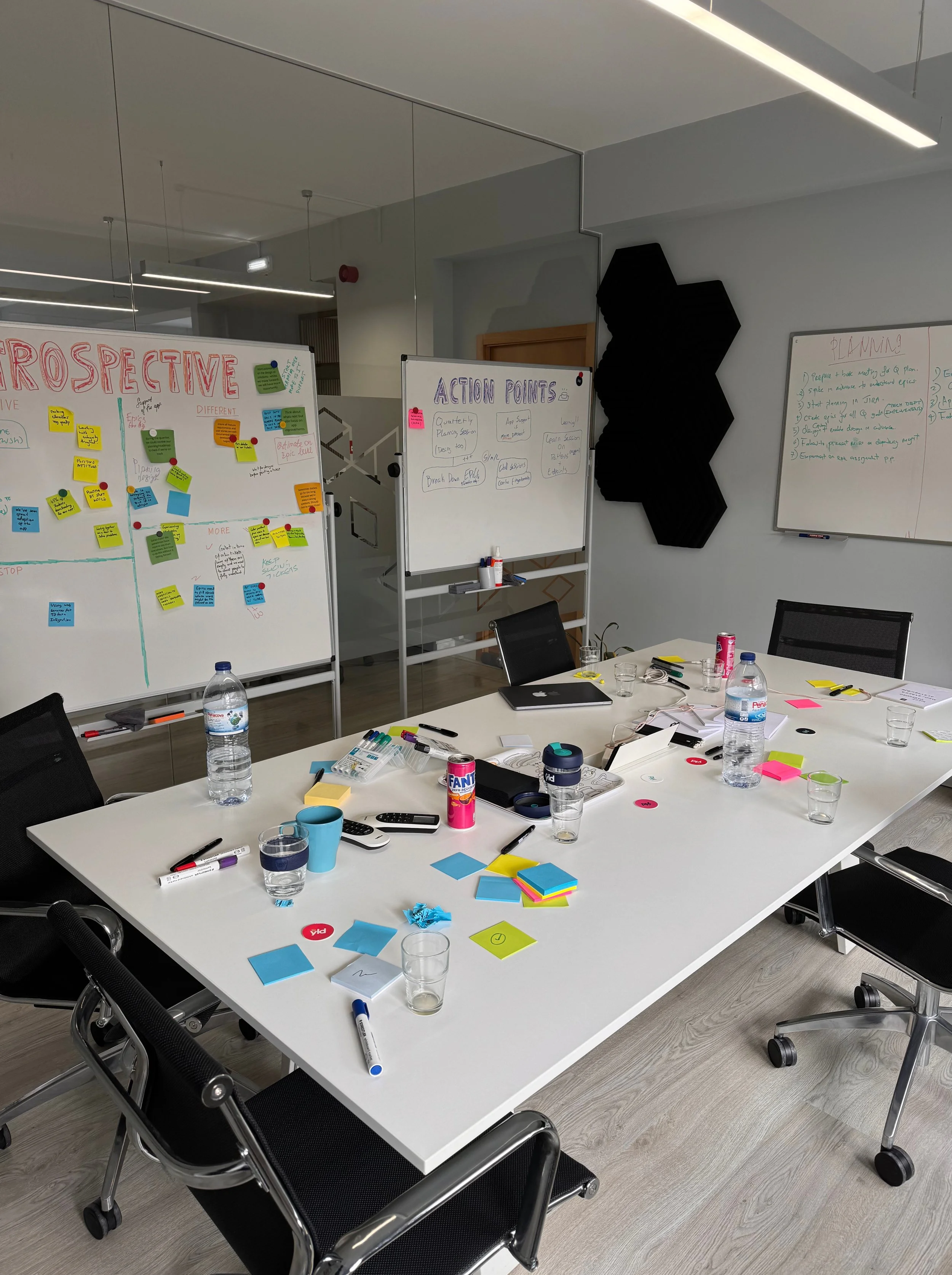
To ground the redesign in real student behaviours, I contributed to both quantitative and qualitative research across the student lifecycle.
Research Activities
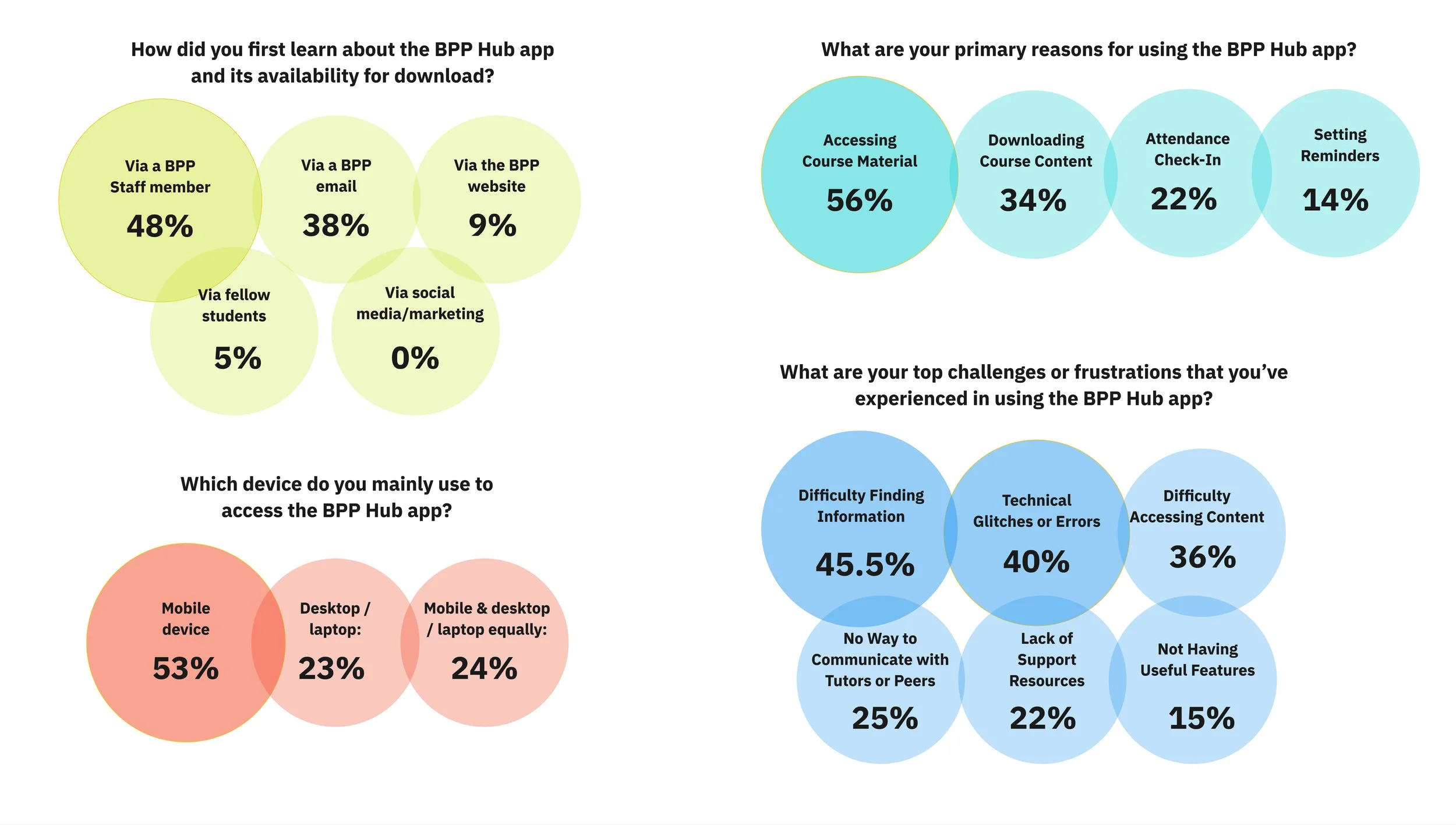
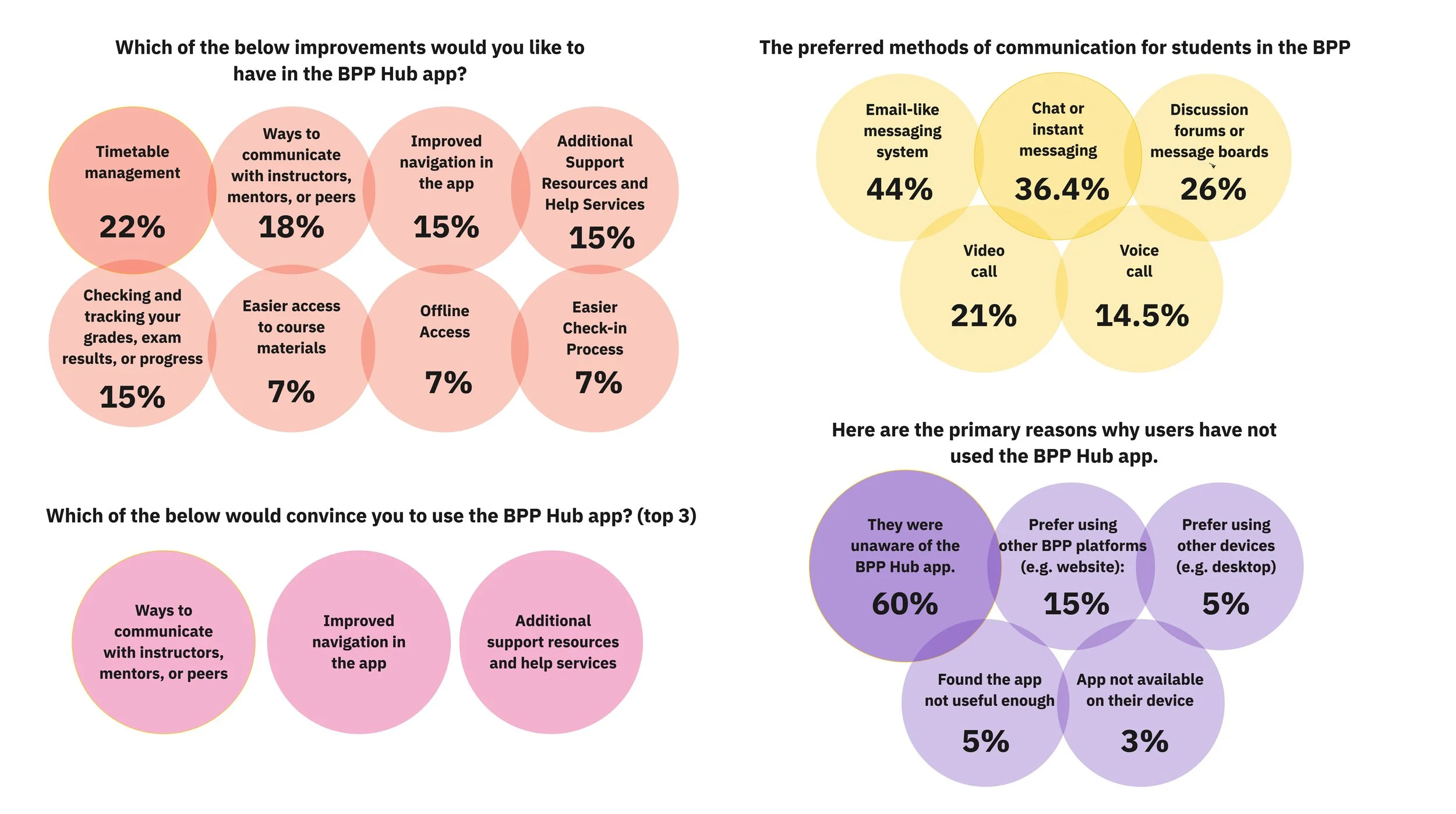
Designed and distributed a survey to 800+ students
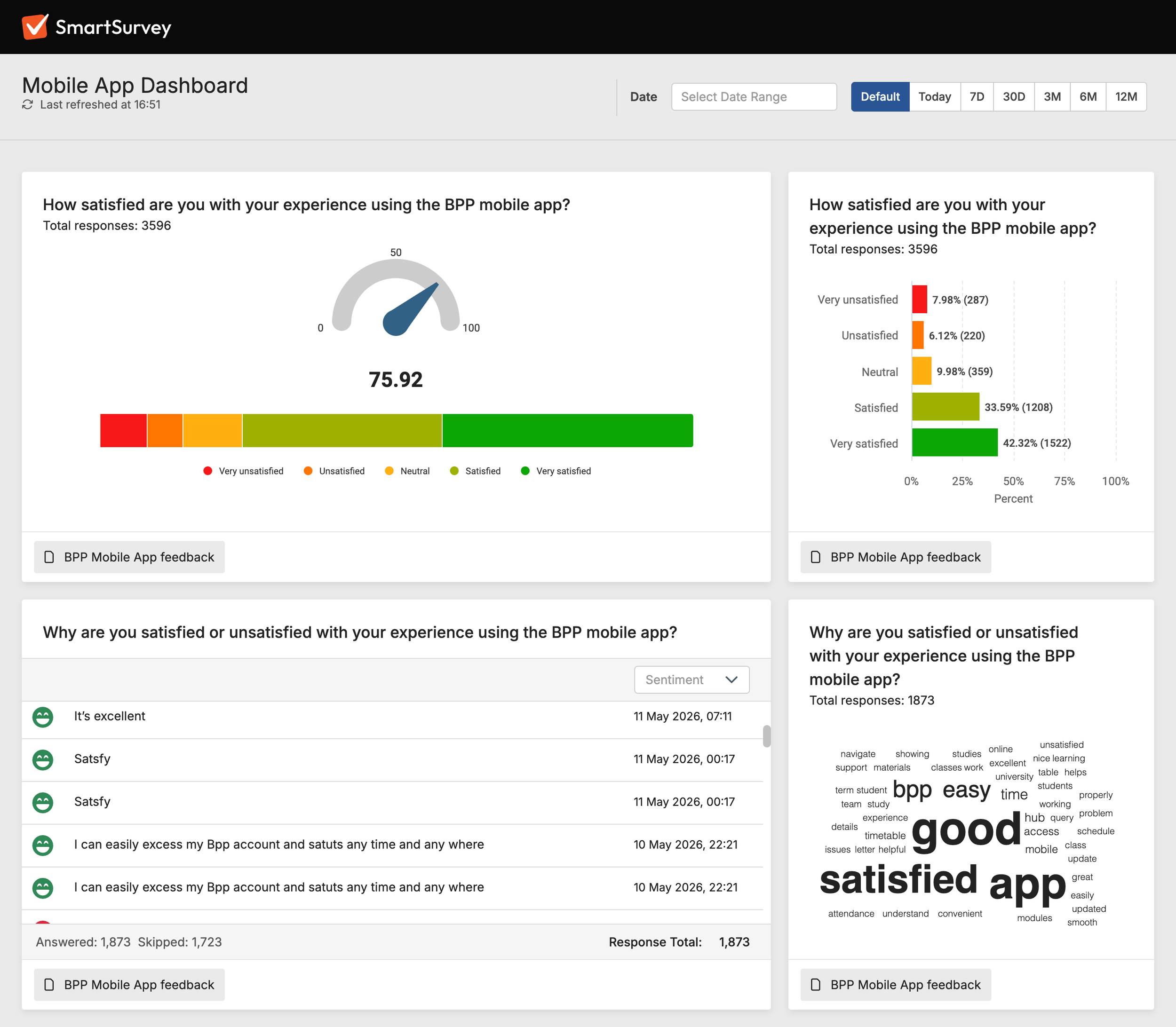
Proposed an in-app CSAT feedback loop to continuously capture user sentiment
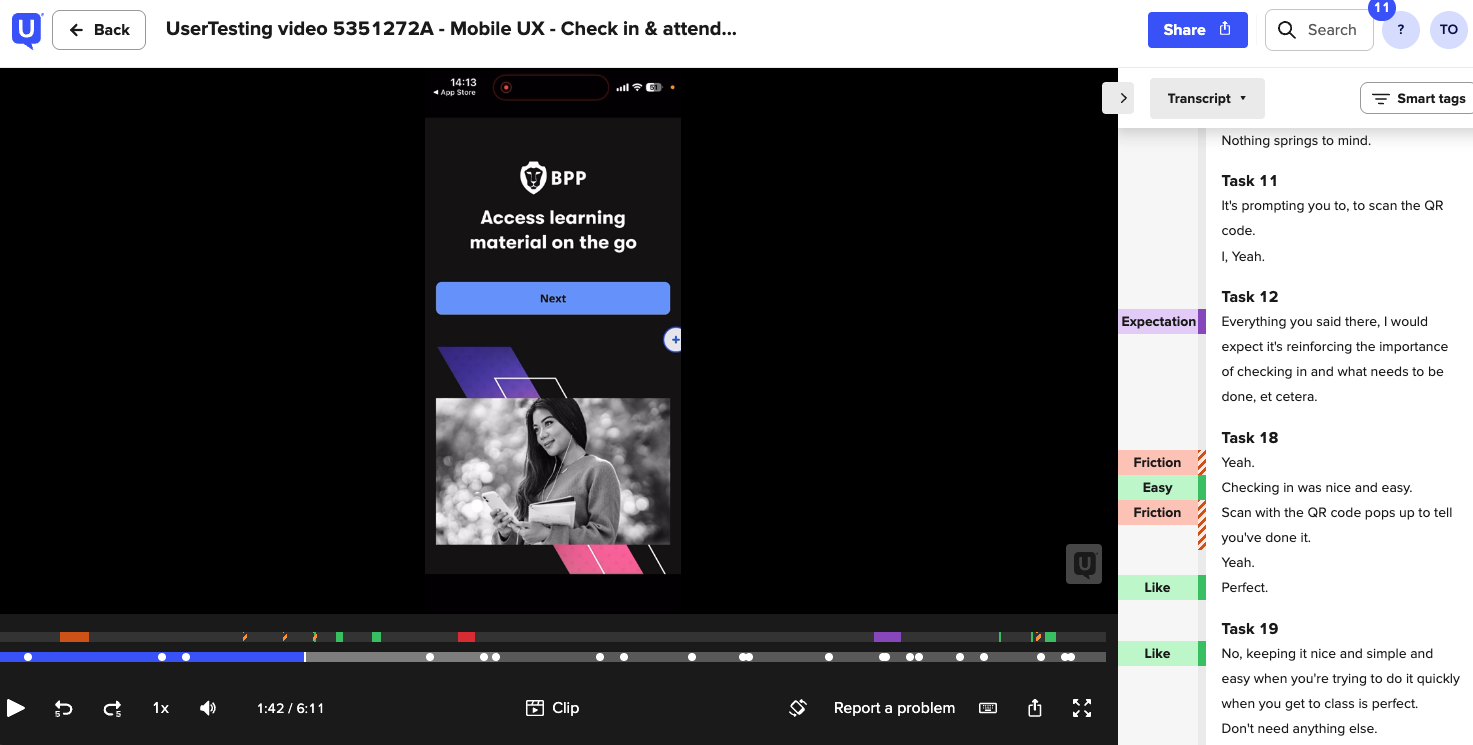
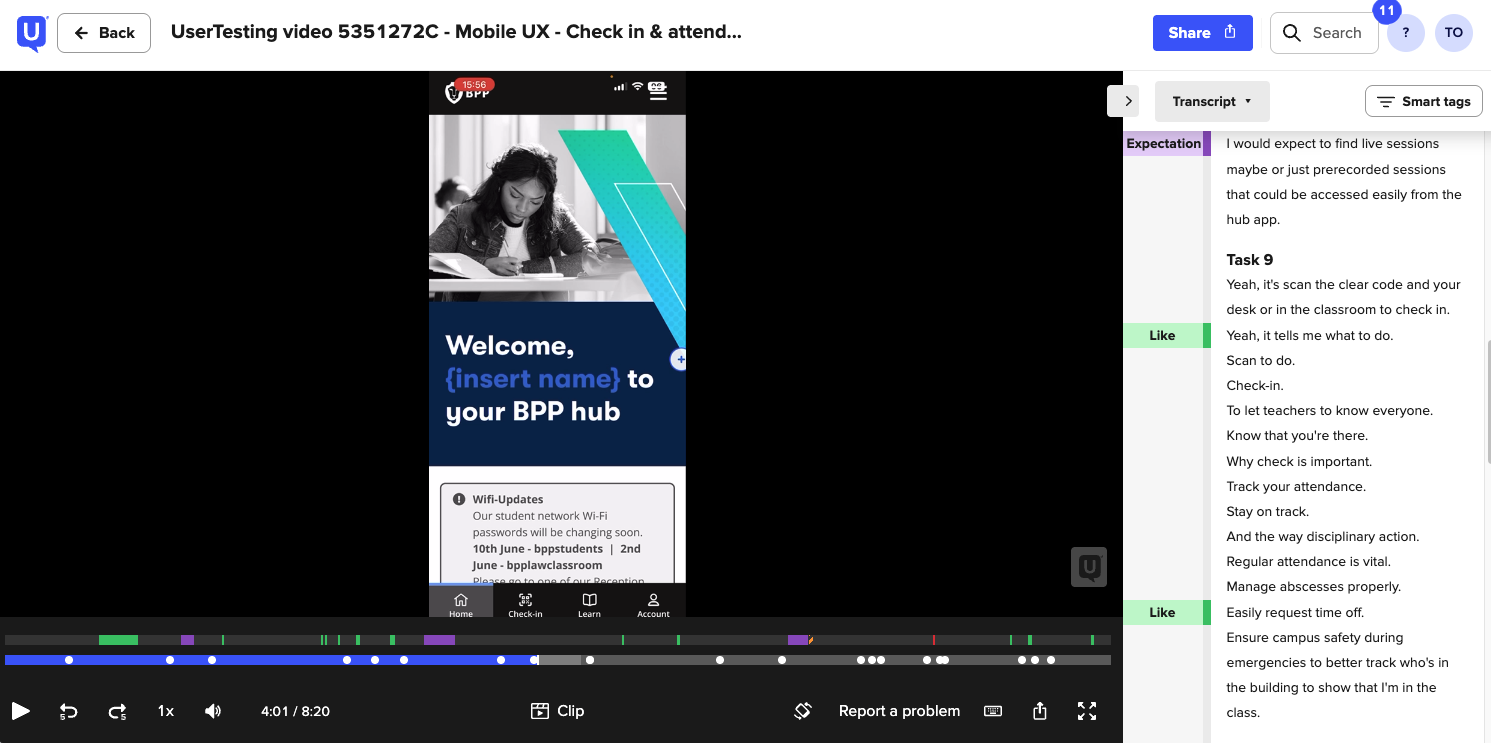
Conducted student interviews to validate early concepts and gather behavioural insights
Reviewed support pain points and recurring usability concerns
Students primarily wanted the app to help them:
Know where to be and when
Track attendance, assessments, and payments
Self-serve administrative tasks
Stay informed through timely updates and notifications
Key Insights
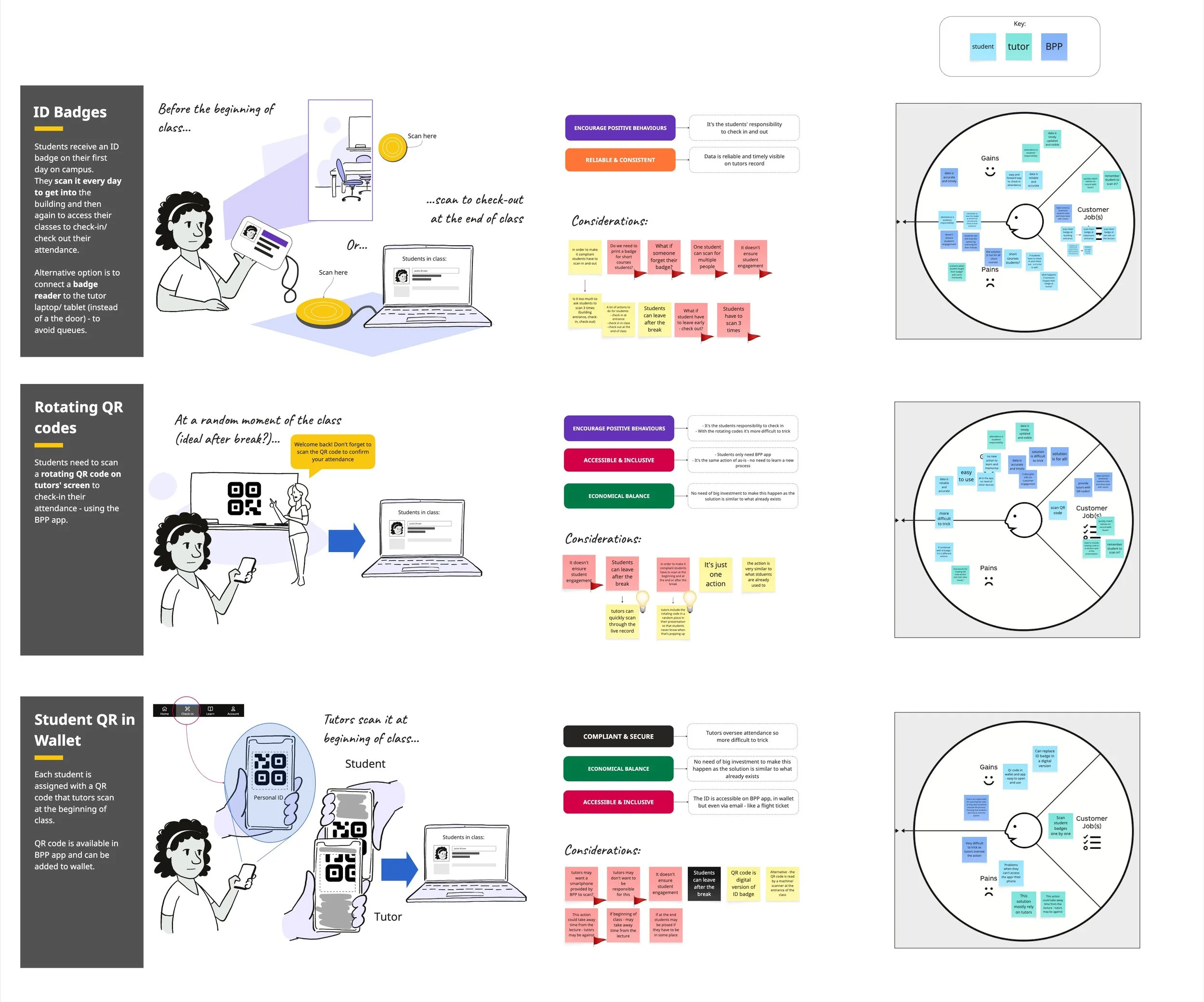
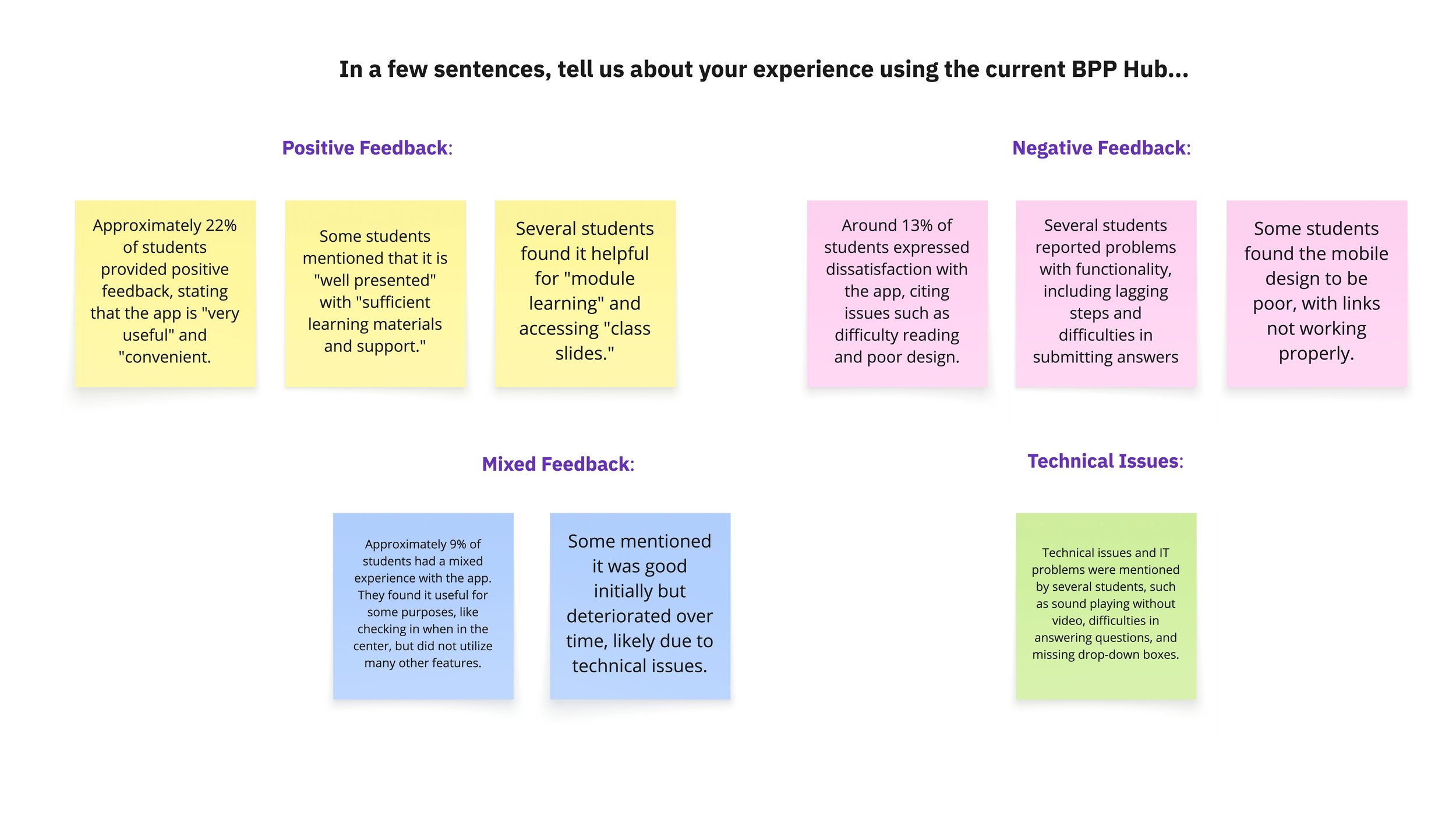
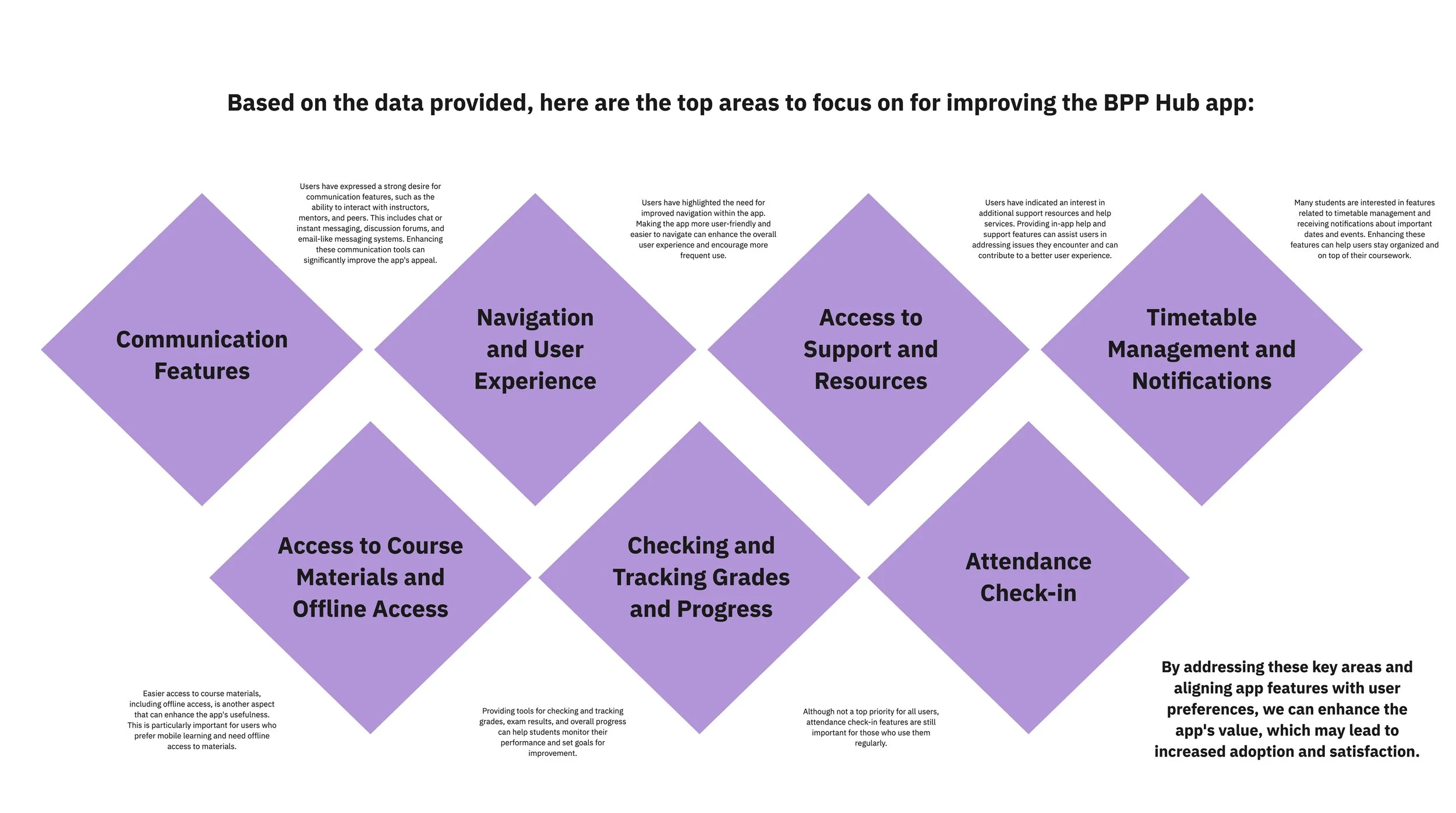
Students responded positively to the idea of a more capable mobile experience, but wanted more — more functionality, more personalisation, and everything in one place. Navigation and discoverability emerged as increasingly critical as the feature set grew. Students consistently associated active learning with desktop, while mobile was seen as an organisational companion.
OPPORTUNITIES
Product Opportunities
Improve usability and discoverability across the app
Surface more timely and relevant information
Reduce friction around administrative tasks
Lay foundations for personalisation and self-service
Strategic Opportunities
Increase daily active usage and long-term retention
Improve student satisfaction and app sentiment
Reduce timetable-related support tickets
Strengthen mobile adoption across the student lifecycle
DESIGN PRINCIPLES
The redesign was guided by four core principles:
Be Timely : Surface important information when users need it most, such as upcoming classes, timetable changes, or urgent actions.
Be Relevant: Prioritise personalised and actionable content over generic information.
Be Reliable: Ensure students can trust the app for accurate schedules, updates, and key details.
Be Usable: Create a simple, intuitive experience that reduces cognitive load and improves task completion.
PHASED DELIVERY
The app was delivered across two MVPs, allowing us to validate core functionality before expanding the feature set.
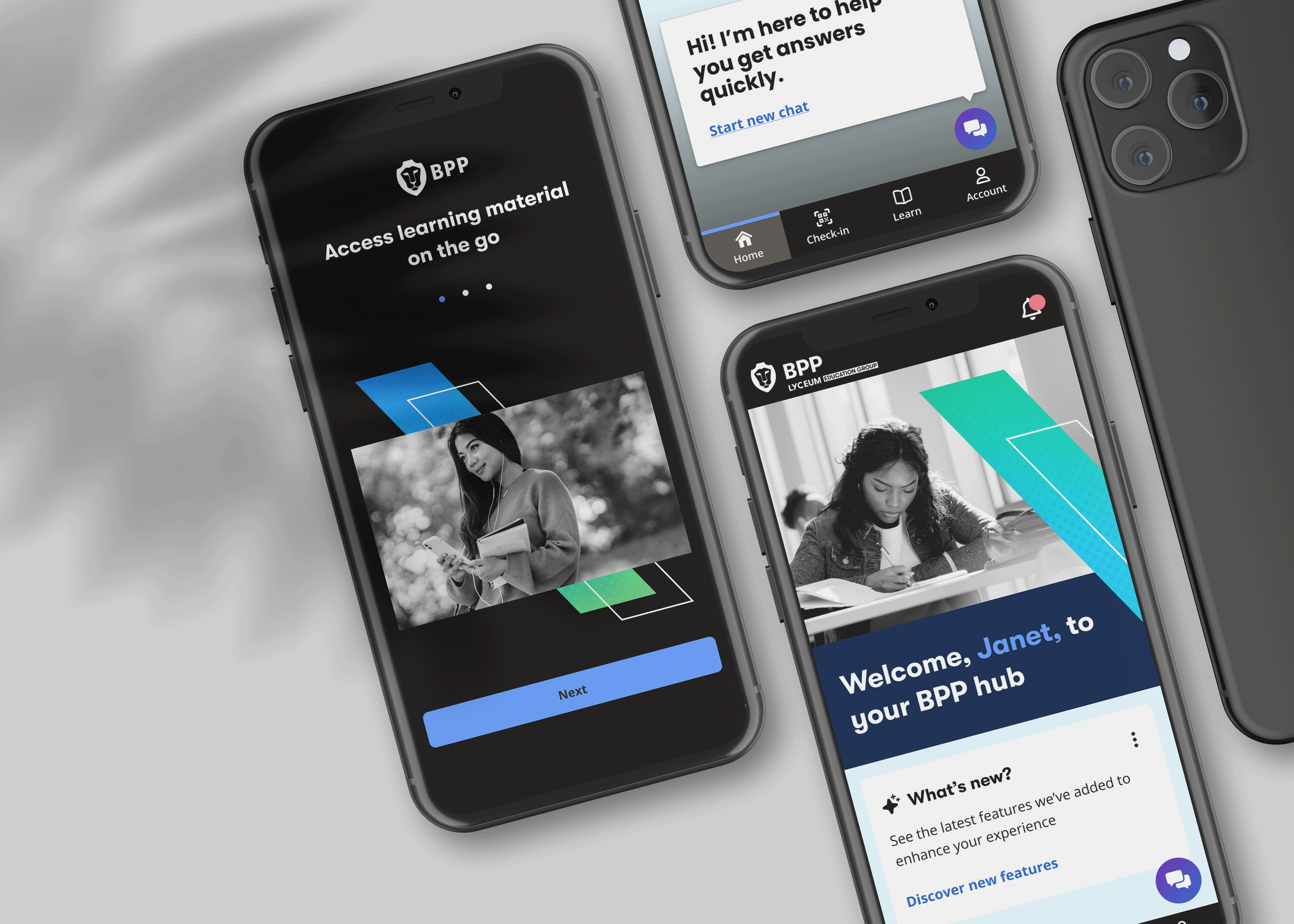
MVP 1 — Core Experience. Key features included:
Real-time timetable access with live updates
Redesigned navigation and information hierarchy
My Account management for personal details
Improved QR code check-in with clearer success and failure states
MVP 2 — Extending the Experience With the core in place, the second release added:
Push and in-app notifications for timetable updates and key events
AI chatbot integration for instant support outside office hours
MY ROLE
Led UX and UI design across key areas of the app, including timetable, My Account, and check-in experience
Collaborated closely with product managers, engineers, researchers, and service designers
Contributed to shaping the overall mobile experience and aligning it with the Scholar design system
Designed and iterated on features through prototyping, testing, and continuous feedback
Focused on simplifying complex student journeys into clear, usable interactions
WHAT WE DELIVERED
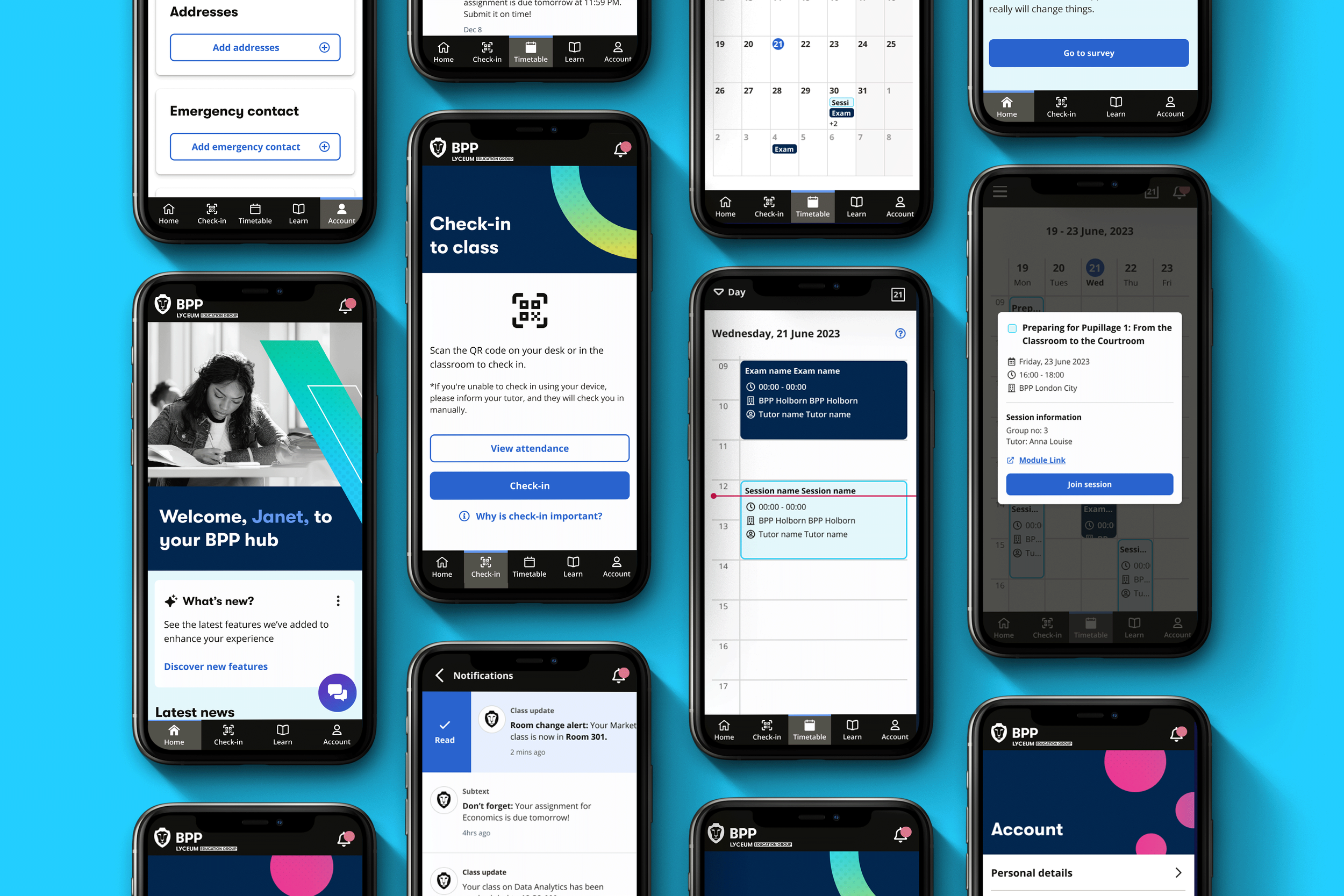
Real-time Timetable Access
Learners can view and manage their schedules with live updates, including class and exam changesRedesigned UX & UI
A cleaner, more intuitive interface that improves navigation across core featuresMy Account Management
Users can easily update personal details, making the app a more self-sufficient toolQR Code Check-in Improvements
Clearer success and failure states, improving usability and reducing confusionInstant support via our Ai Chatbot
Students can quickly find resources and assistance outside office hours
IMPACT & OUTCOMES
Within the first two weeks of launch:
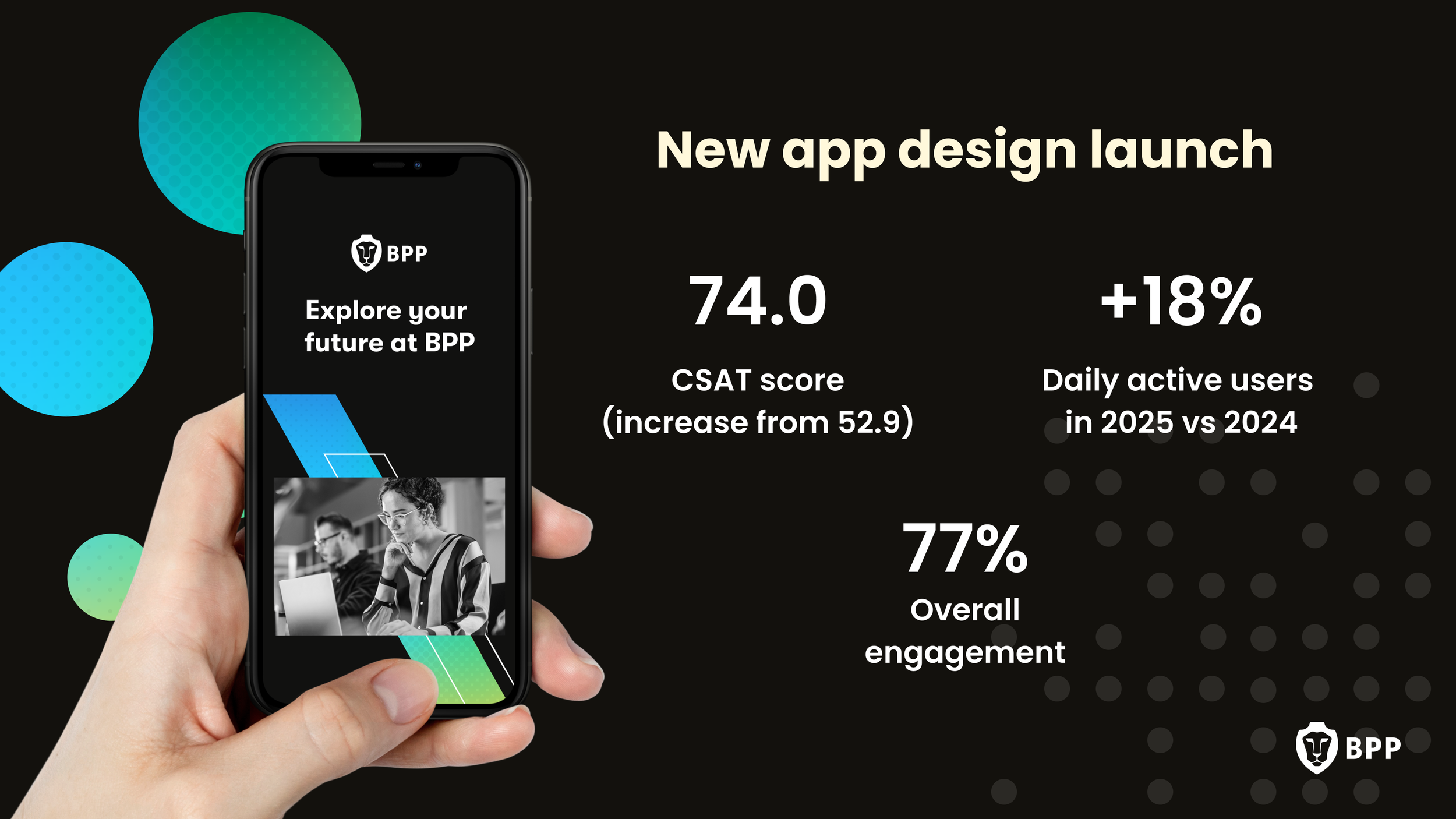
88% adoption rate of the new app
Timetable became the 3rd most engaged feature (post-login, by time spent)
50% of users interacting with “Learn” completed a meaningful action
Early indicators showed a reduction in timetable-related complaints
These metrics validated the focus on usability, clarity, and surfacing the most valuable student information upfront.
FUTURE THINKING
Following launch, the experience continued to evolve through iterative improvements and feature expansion.
Future Enhancements Included
Push and in-app notifications for timetable updates
AI chatbot integration for instant support access
Ongoing performance improvements and bug fixes
Exploration of personalised content and recommendations
Attendance visibility and learning progress tracking
Role-based experiences for students, tutors, and staff
BPP Hub
〰️
BPP Hub 〰️
LOOKING AHEAD
Following launch, we continued to iterate on the experience, including:
Introducing push and in-app notifications for timetable updates
Introduced a chat bot feature for instant access to help & support
Ongoing performance improvements and bug fixes
Exploring future enhancements, including personalisation
REFLECTION
This project became a key part of BPP's wider digital transformation and demonstrated the value of research-led, user-centred product design at scale.
It reinforced three things I care deeply about:
Designing around real user behaviours rather than assumptions
Balancing business goals with user needs
Building mobile experiences that genuinely support people's everyday lives — not just their aspirations.a