
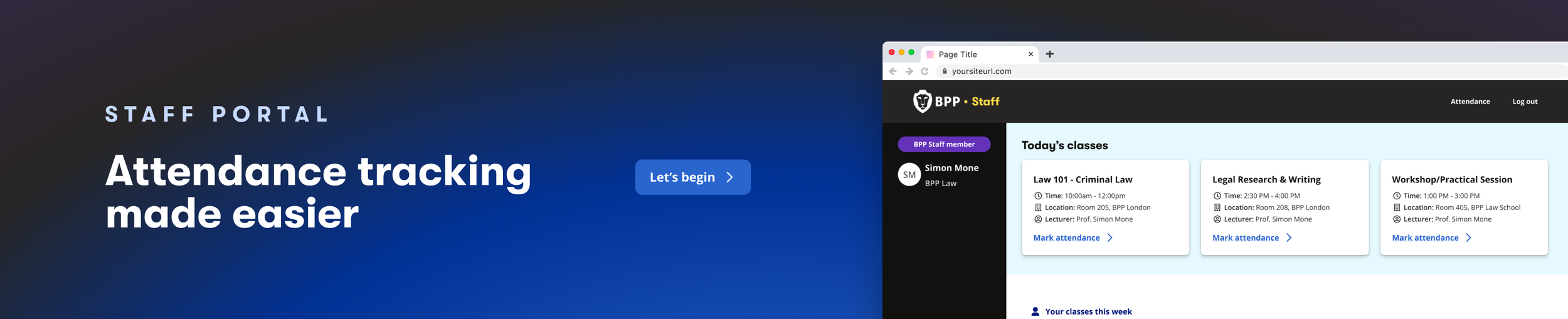
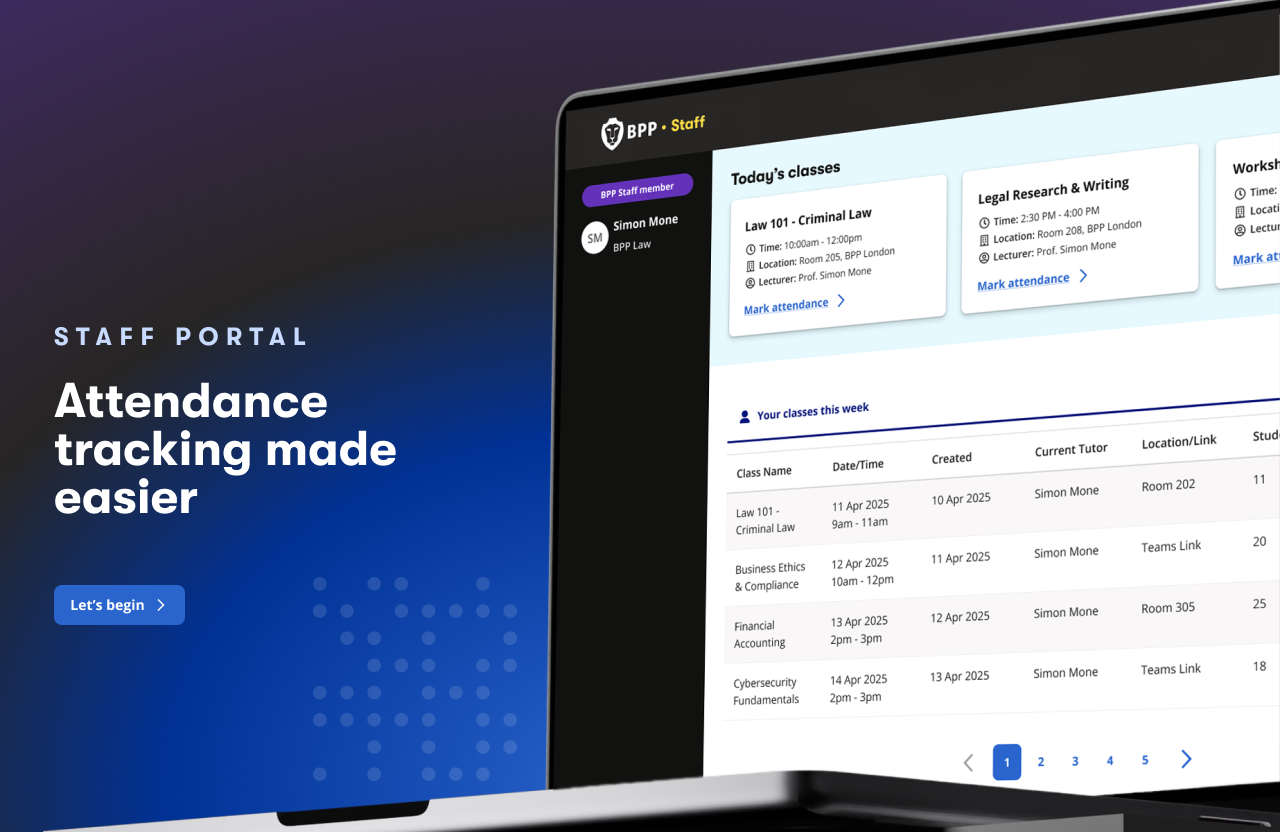
At a glance
BPP: Tutor Portal
Designed an attendance management experience to simplify operational workflows and reduce manual admin for tutor and operations teams.
OVERVIEW
Attendance tracking at BPP relied on fragmented manual processes — tutors juggled QR scans, paper registers, and spreadsheets, while the attendance team spent 100–200 hours per month consolidating data. I led the design of the Tutor Portal, a web-based tool that replaced this with a unified system for recording, validating, and correcting student attendance.This project marked a key milestone in improving operational efficiency, data accuracy, and student engagement across the university.
THE PROBLEM
Compliance & safeguarding risk:
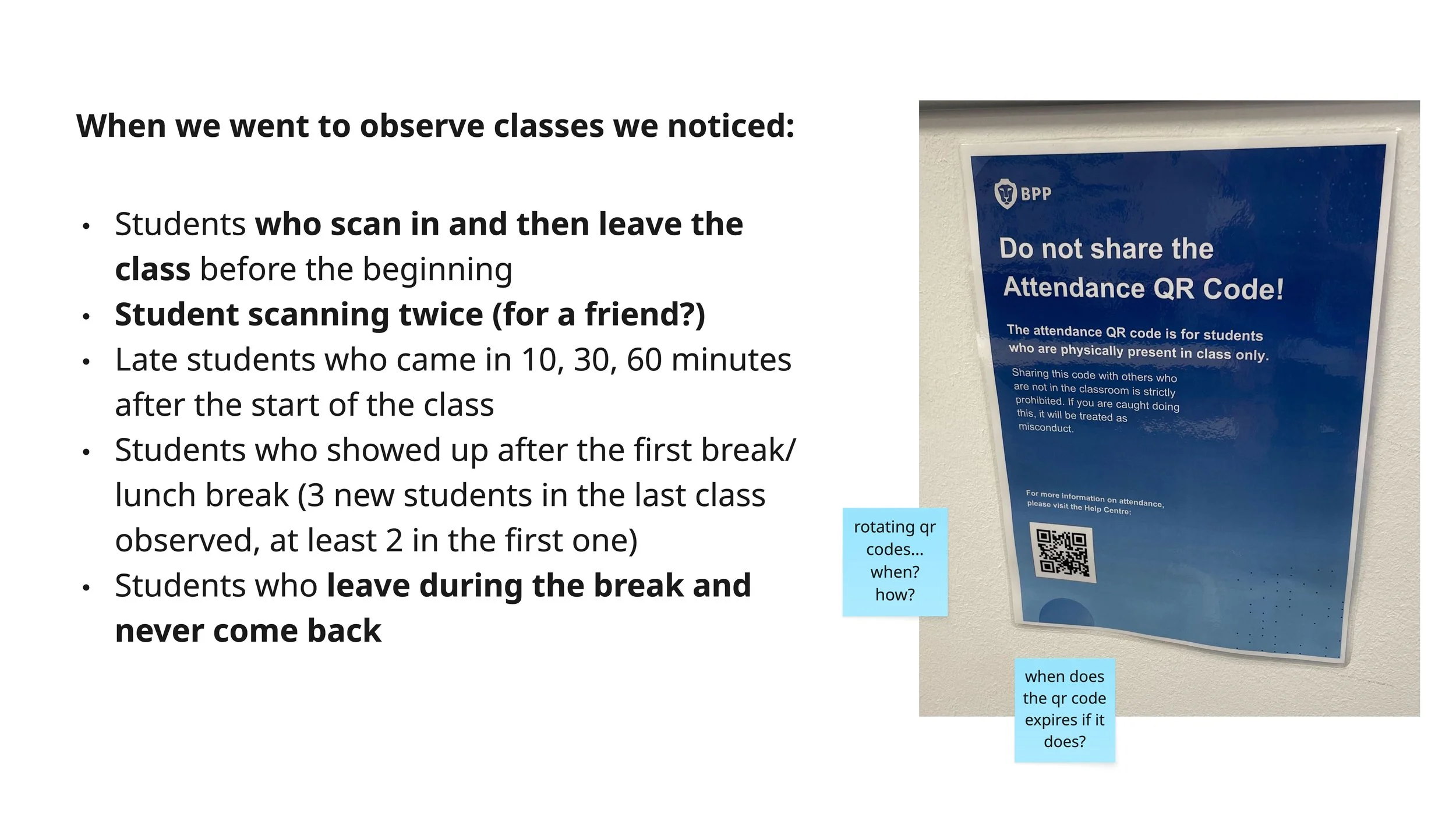
Students could photograph QR codes and check in remotely, inflating attendance
Tutors had no ability to override incorrect check-ins
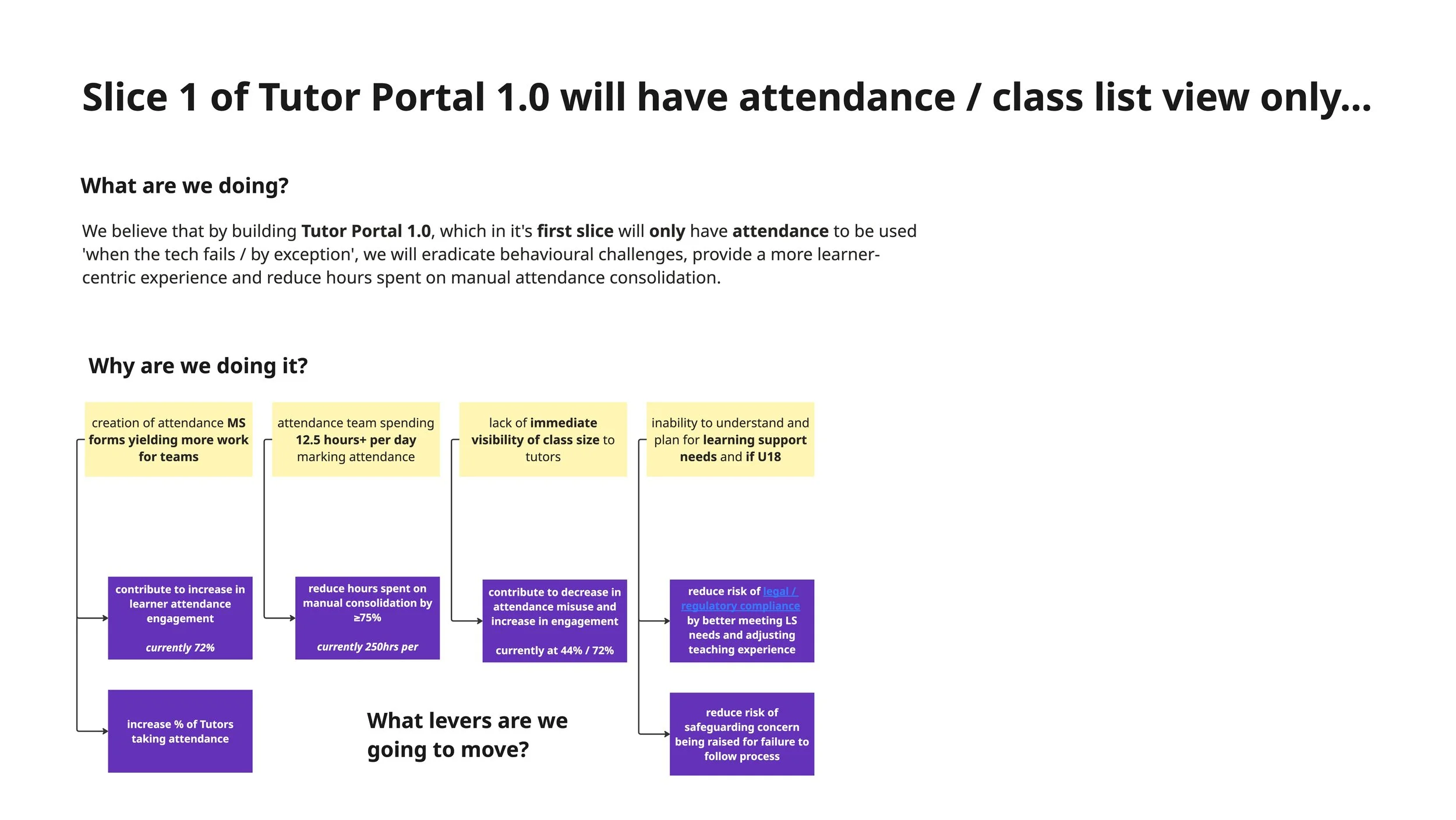
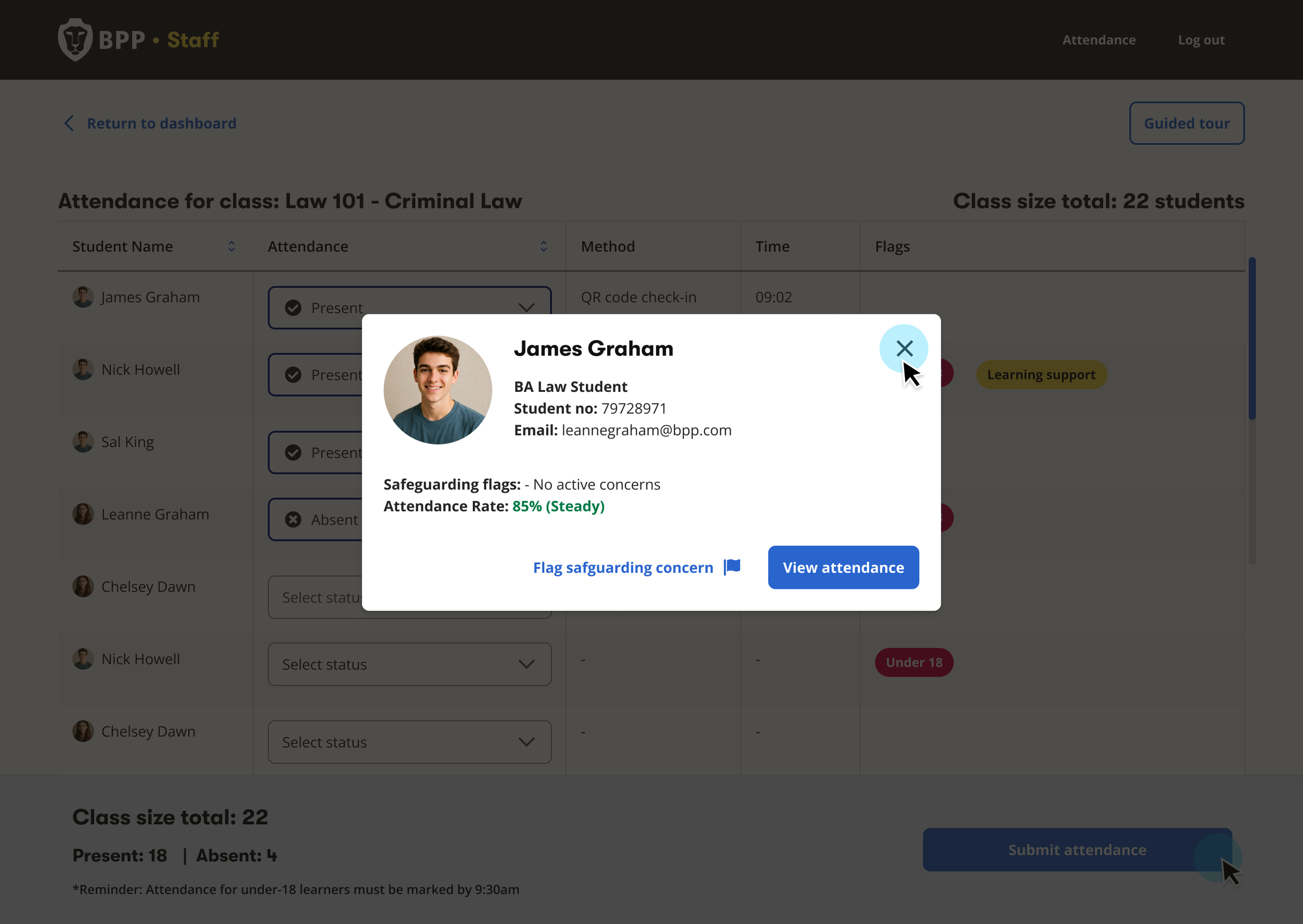
No way to identify U18 learners or students with learning support needs in the moment
This created risks around legal compliance, funding requirements, and safeguarding
Attendance tracking was inconsistent, manual, and prone to misuse.
Tutors relied on multiple methods — QR scans, paper registers, manual reporting
The Attendance Team spent significant time manually consolidating data daily
Limited visibility of attendance patterns made it difficult to intervene early
QR codes could be photographed and used to check in remotely, inflating attendance figures
Tutors had no way to verify or correct attendance in real-time
No structured process for admin teams to handle disputes,
leading to manual workarounds
RESEARCH & DISCOVERY
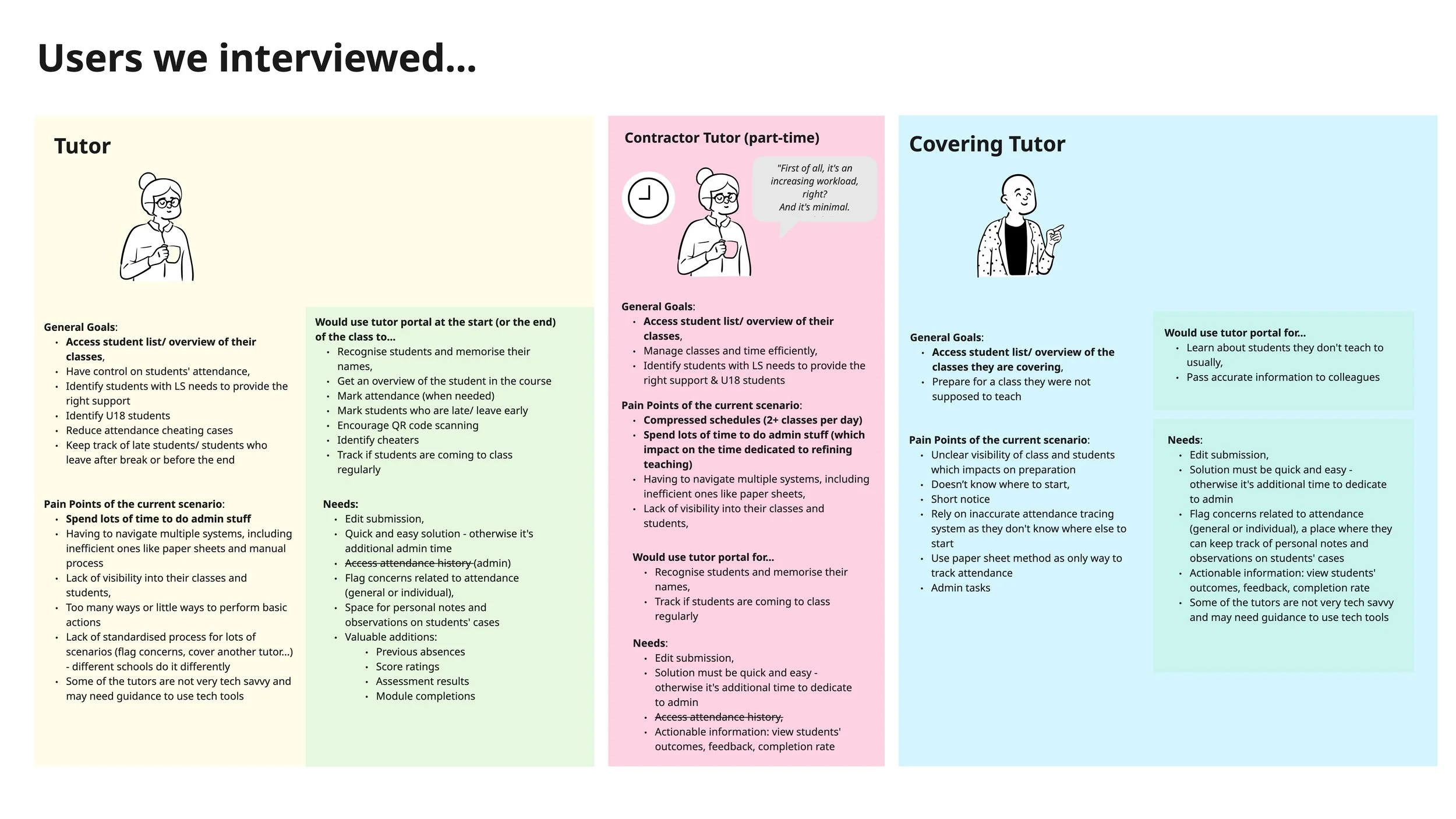
To ensure the Tutor Portal aligned with real teaching workflows, I conducted qualitative user research alongside a Service Designer.
These sessions revealed that tutors needed:
A fast and low-effort way to validate attendance during class
Clear handling of exceptions and edge cases
Confidence that the system reflected what was actually happening in the room
These insights directly informed key design decisions, including:
Prioritising bulk actions with flexibility for individual edits
Designing for real-world interruptions and failures (e.g. QR issues)
Keeping the interface simple and scannable under time pressure
We interviewed 6 tutors across different modules and teaching formats to understand:
How attendance was currently being recorded
Pain points with QR scanning and manual processes
Time pressures during live teaching
Common edge cases (late arrivals, students leaving early, or cheating the system, pretending to be in class when not in fact present.
MY ROLE & INVOLVEMENT
I led end-to-end design of the Tutor Portal, shaping both the Tutor and Admin experiences from concept through to MVP delivery:
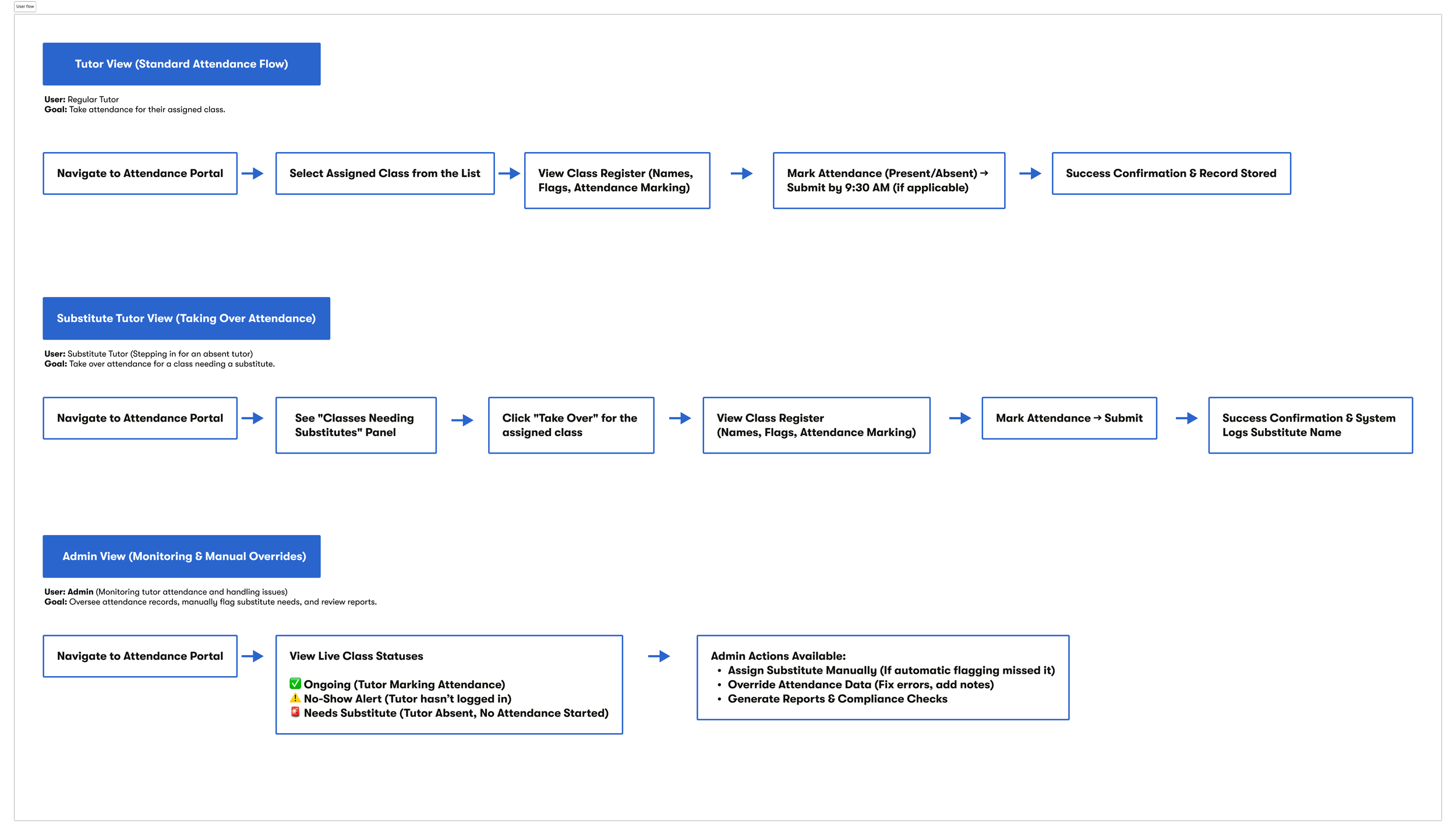
Defined core user flows for tutors and admin users
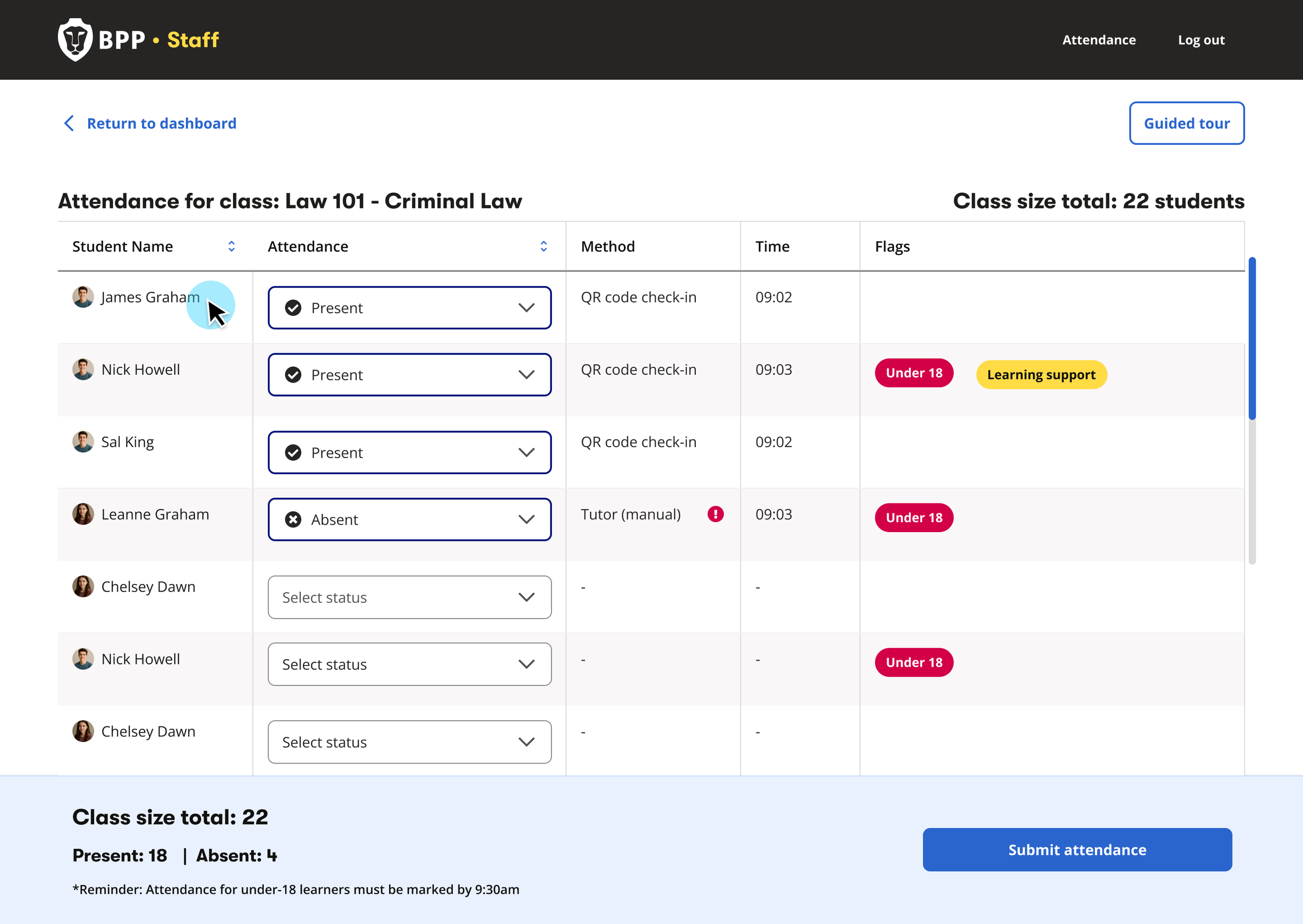
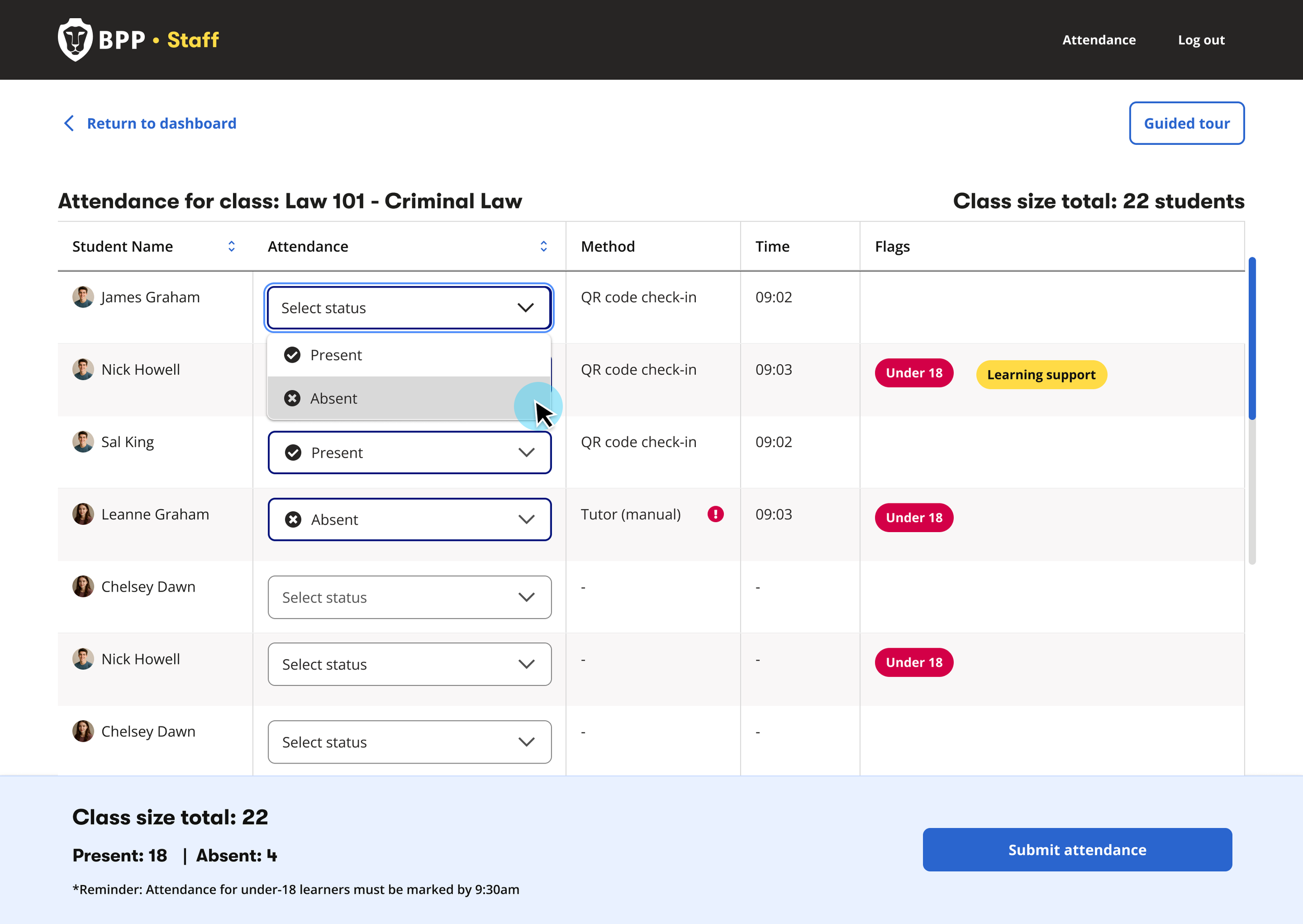
Designed the attendance-taking experience — QR-first logic with manual override and bulk editing
Translated complex operational needs into intuitive UI patterns
Designed for edge cases including QR failures, late arrivals, and early leavers
Collaborated with engineering to align UX with system constraints
Led content design for FAQs and onboarding walkthroughs
Iterated based on stakeholder and tutor feedback
WHO I WORKED WITH
This was a highly collaborative effort across multiple teams:
Product & Project Leads — defining scope and MVP priorities
Engineering Team — implementing APIs, validation logic, and system behaviour
Service Designer — To align on workshops and user research sessions for gathering first hand feedback from tutors on their current process for attendance taking, pain points and early feedback on the proposed outcome
Attendance & Operations Teams — providing real-world workflows and constraints
Tutors (end users) — validating usability and real teaching scenarios
THE SOLUTION
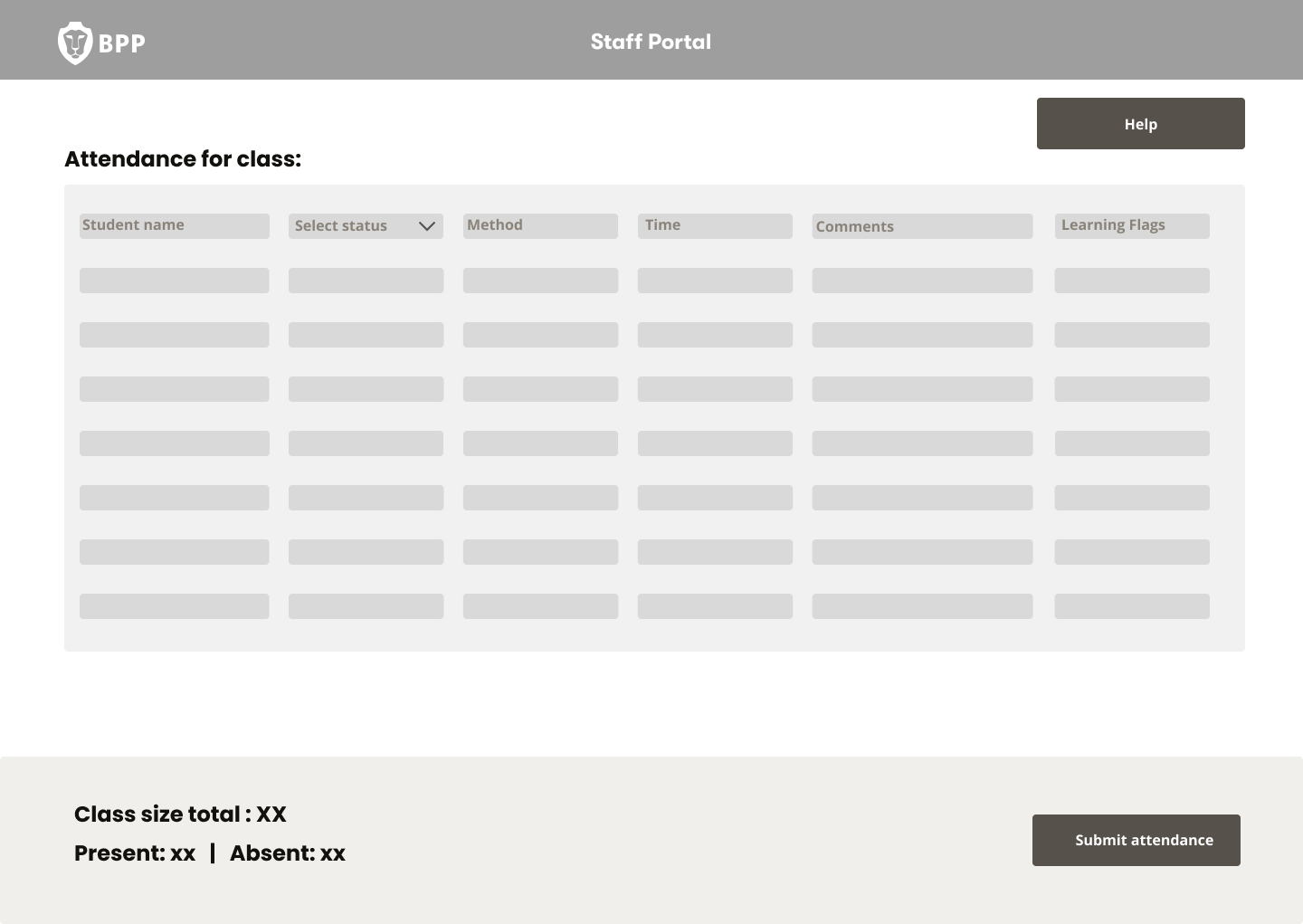
We designed a QR-first attendance system:
Key features:
QR code check-in as the primary attendance method
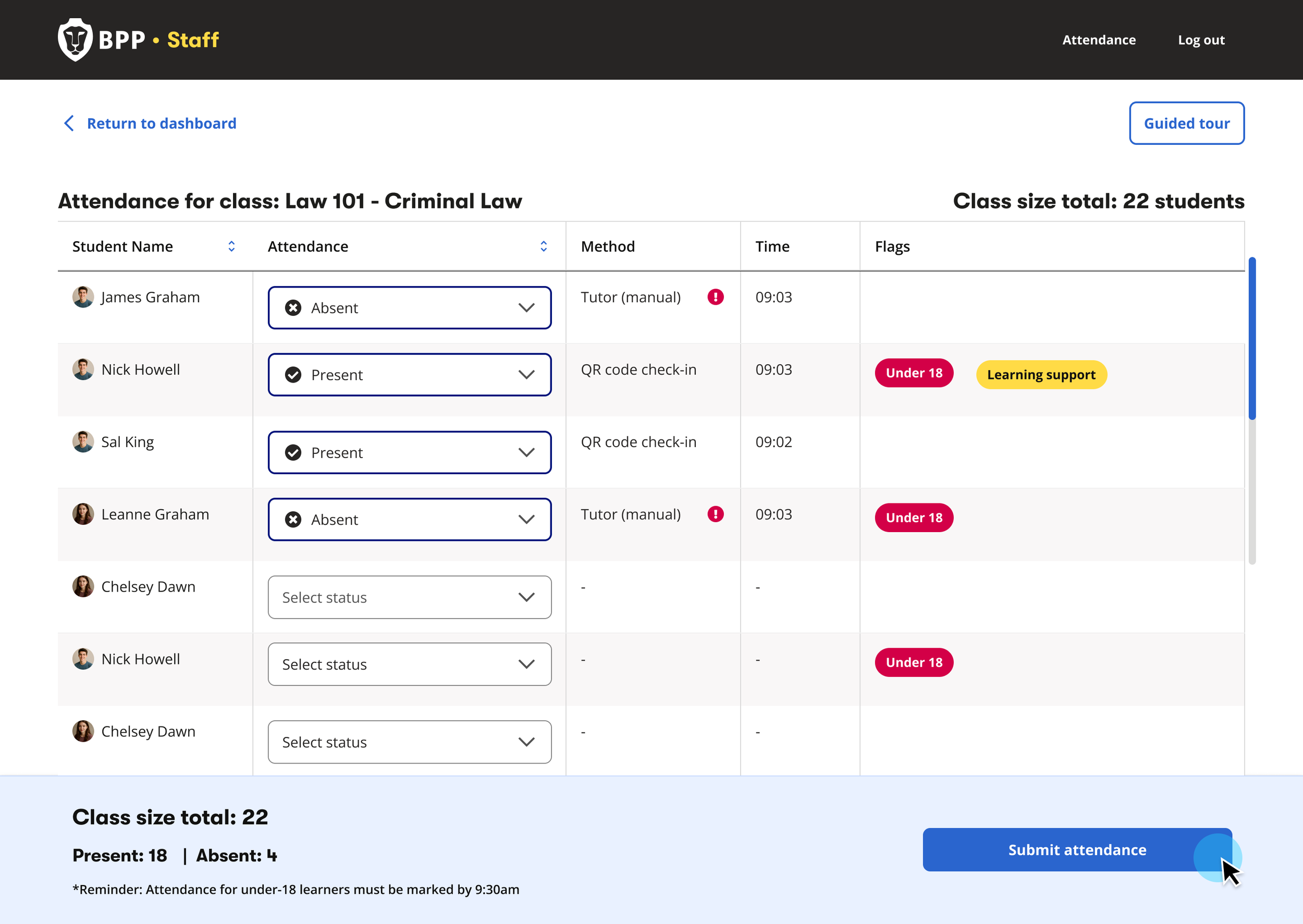
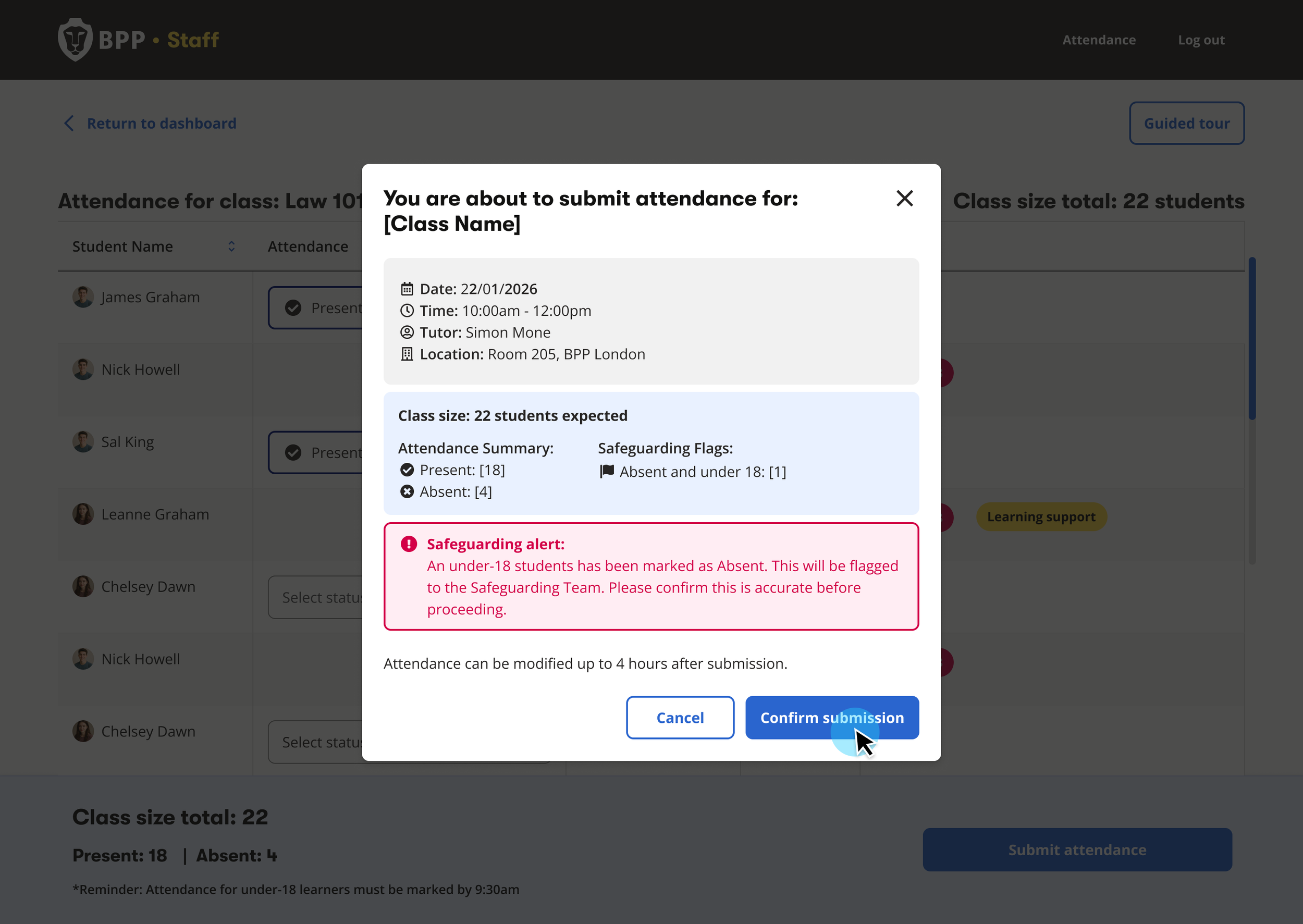
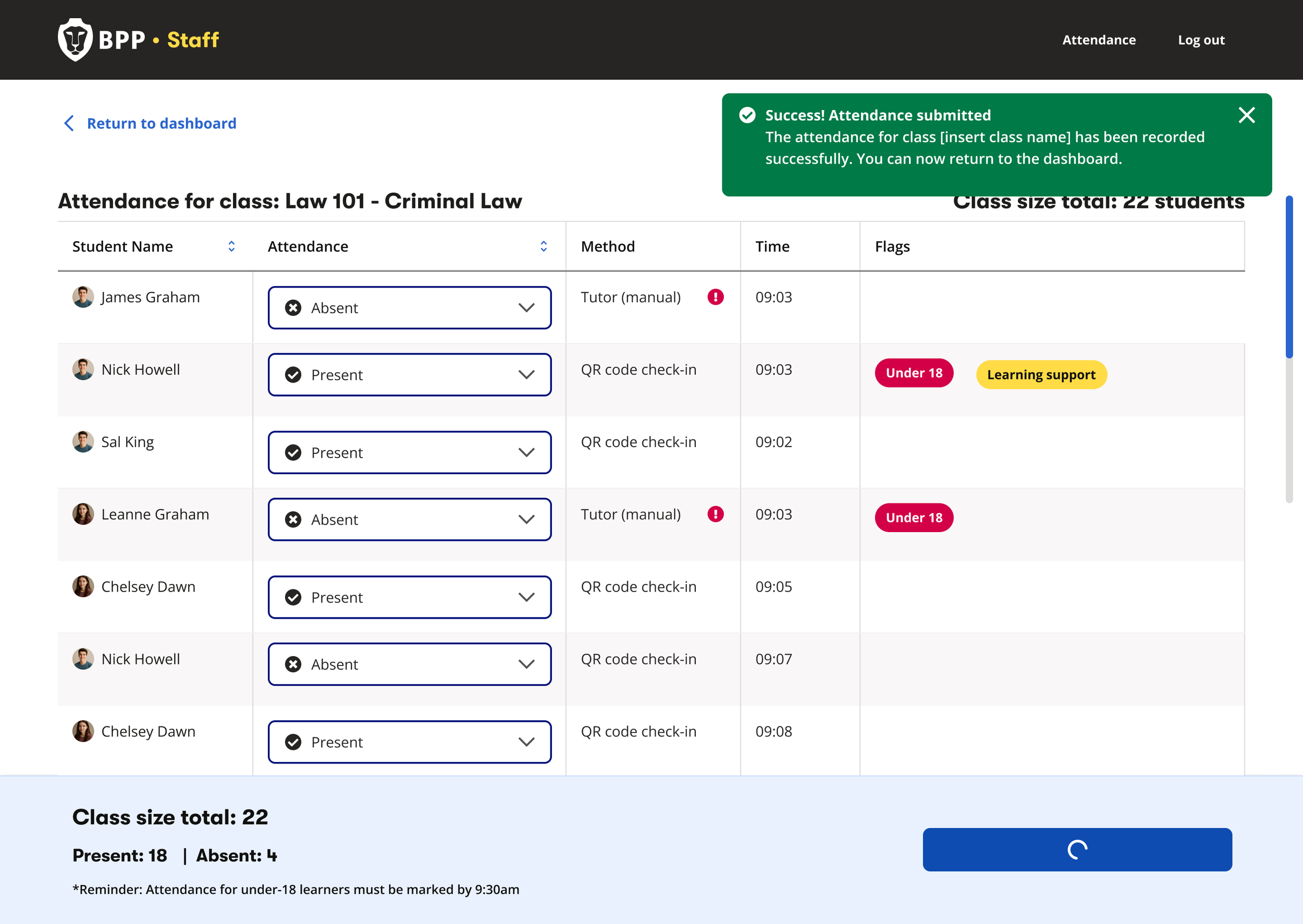
Tutor override capability to correct inaccuracies and capture the reason for the override
Clear submission rules (editable until midnight)
Real-time class registers synced from scheduling systems
Admin tools to review and update past registers (up to 3 months)
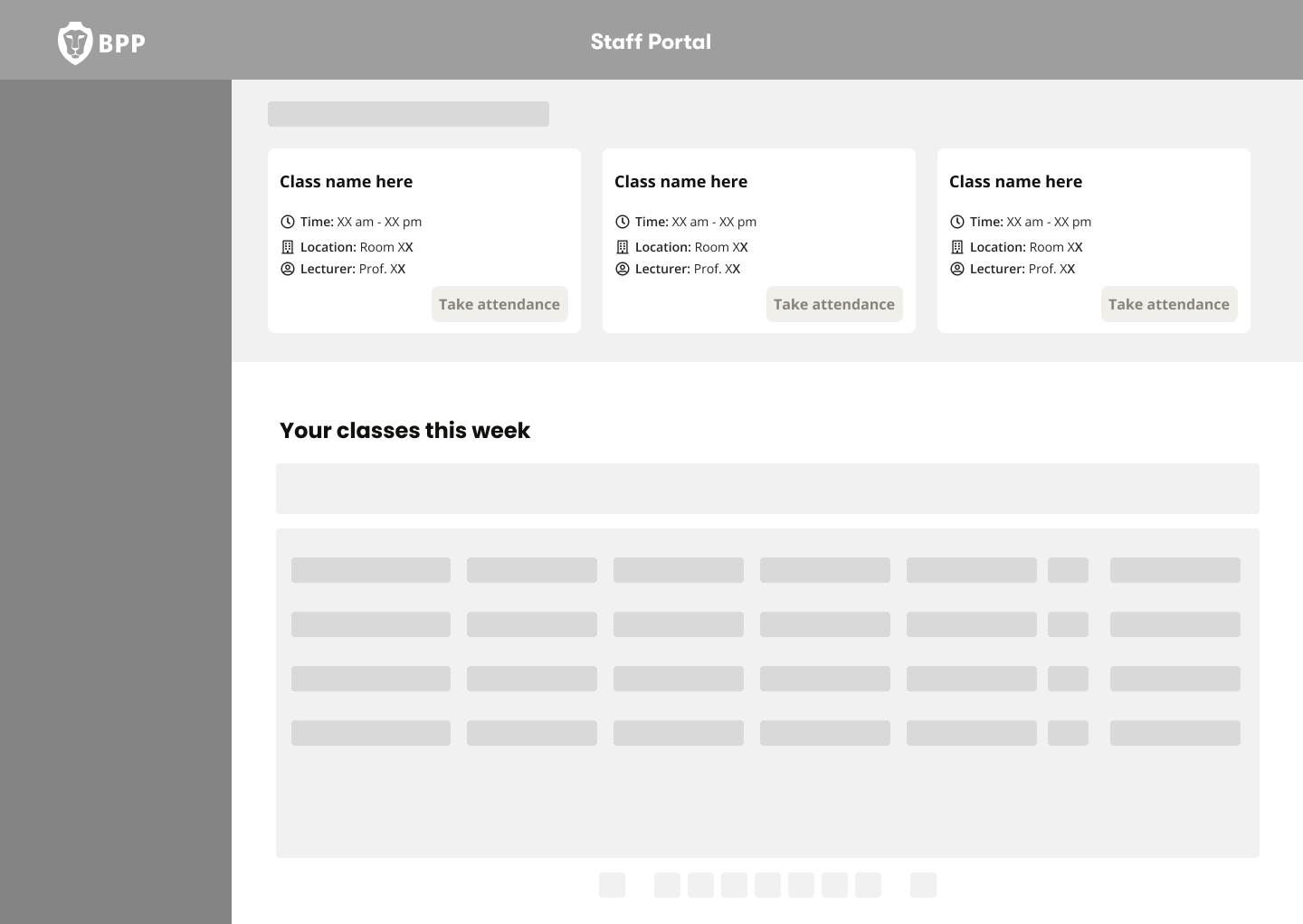
Dashboard — real‑time class overview with accurate check‑ins and override controls
ADMIN PORTAL (Supporting tool)
The admin portal allowed administrative staff to:
Search classes by CRN or tutor
Review and override historical attendance (up to 3 months)
Handle student disputes and audits without relying on tutors
Perform bulk updates in cases such as system issues
This ensured that:
Attendance data remained accurate and auditable
Tutors were not burdened with retrospective changes
Operational teams could efficiently handle student disputes and audits
Admins can locate a specific class, verify tutor‑submitted attendance, and amend records when discrepancies or disputes arise. - Prototype created using Figma Make
ONBOARDING & ADOPTION
With 400+ tutors to onboard, adoption was critical. We focused on three support areas for onboarding including:
1. In-product walkthrough
Guided feature introduction at the point of need — no external training required.
2. Interactive FAQ resource
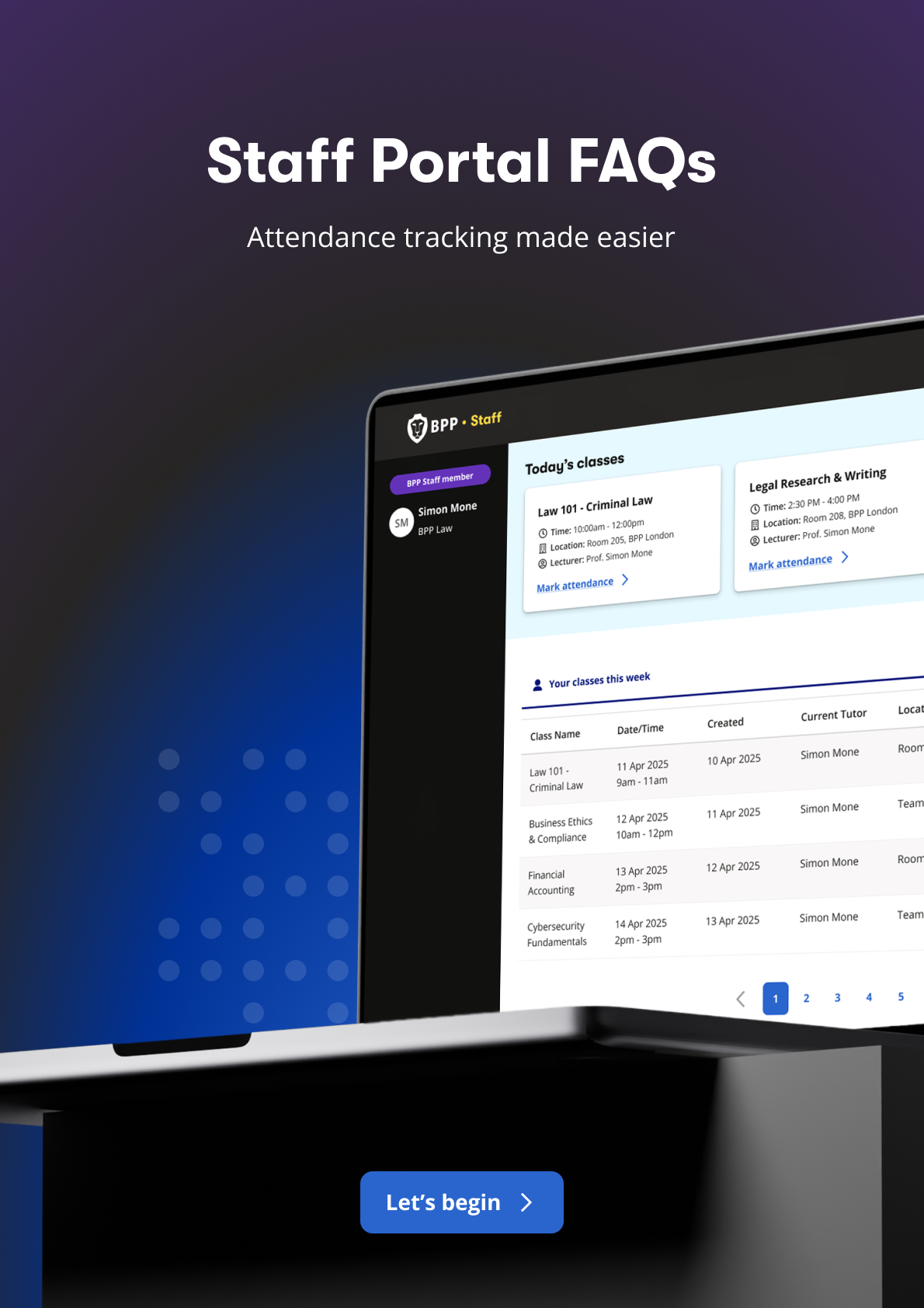
Self-service resource covering core workflows, edge cases, and compliance rules.
3. Live onboarding sessions
Platform demos with 400+ tutors, capturing real-time feedback and building trust before launch.
A prototype of the guided walkthrough, for tutor onboarding.
Used by 400+ tutors across the university.
OUTCOME & IMPACT
The Tutor Portal delivered immediate operational and compliance improvements:
Saved 200+ operational hours since launch by removing manual MS Forms consolidation
Ensured accurate, auditable attendance data, reducing compliance and safeguarding risk
Enabled tutors to override incorrect check‑ins, preventing remote QR misuse
Improved visibility of U18 learners and learning‑support needs, supporting safer teaching
Provided real‑time class size insights, improving lesson planning and early intervention
USER FEEDBACK:
Tutors responded positively to the simplicity and clarity of the system
The ability to quickly correct attendance was particularly valued
The platform is already supporting more proactive student engagement
“For the first time, all the students stayed until the end of the class. No doubt this portal is going to improve student attendance”